
Cartoon Style
A cute creature with fur like a snow leopard walking in a winter forest, rendered in 3D cartoon style.
Get inspired by what others are creating with Google Veo 3.1
A cute creature with fur like a snow leopard walking in a winter forest, rendered in 3D cartoon style.
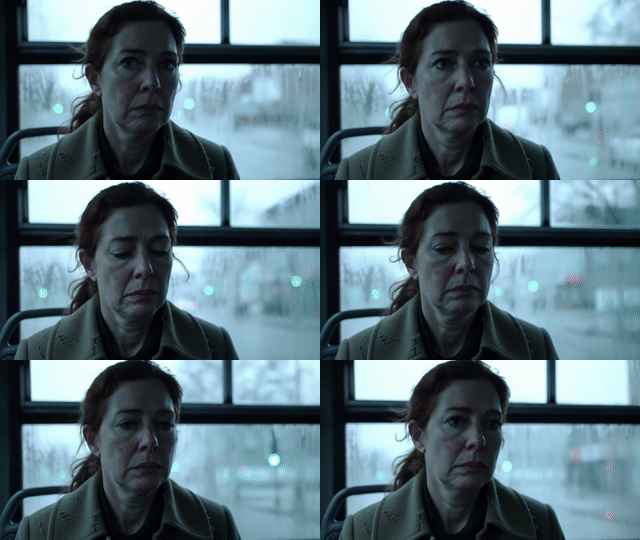
Cinematic close-up: a sad woman riding a bus in the rain, with a cool blue tone creating a sad atmosphere.
Quick start guide to generate high-quality videos with Google Veo
Create an account and log in to get free credits to try Veo video generation.
Select Text to Video for prompt-based creation, or Image to Video to animate your images.
For Image to Video mode, upload 1-3 reference images or set start/end frames for precise control.
Describe your video content in detail. Include scene, action, style, camera movements for best results.
Choose Veo 3.1 (fast), Veo 3.1 Pro (high quality), or Components mode. Select 4K for ultra HD.
Click generate and wait for processing. Once done, download your video immediately from the results.
Choose the model that suits your needs
| Model | Resolution | Speed | Frame Control | Image Ref | Credits |
|---|---|---|---|---|---|
Veo 3.1 | 1080p | Fast | 1-2 | 10 | |
Veo 3.1-4K | 4K | Medium | 1-2 | 14 | |
Veo 3.1 Pro | 1080p | Medium | 1-2 | 22 | |
Veo 3.1 Pro-4K | 4K | Slow | 1-2 | 30 | |
Veo 3.1 Components | 1080p | Medium | 1-3 | 9 | |
Veo 3.1 Components-4K | 4K | Slow | 1-3 | 12 |
Frequently asked questions about Google Veo video generation
Google Veo 3.1 is Google's latest AI video generation model that can create high-quality videos from text prompts or images. It supports 4K resolution, frame control, and multiple aspect ratios.
Veo 3.1 is the standard mode with faster generation speed and lower cost. Veo 3.1 Pro produces higher quality videos with better details but takes longer and costs more credits.
Components mode allows you to reference 1-3 images as video elements. This is useful when you want to maintain consistent objects or characters throughout your video.
Veo generates videos in MP4 format with either 16:9 (horizontal) or 9:16 (vertical) aspect ratio. 4K resolution is available for premium quality.
Generation time varies based on model and resolution. Veo 3.1 standard typically takes 2-5 minutes, while Pro and 4K modes may take 5-10 minutes or longer.
Yes! You can upload 1-2 images for start/end frame control in standard mode, or 1-3 images for video element references in Components mode.
Yes, credits are automatically refunded if generation fails due to system errors. However, failures due to policy violations (like sensitive content) may not be refunded.
Complete image processing in seconds using advanced AI technology
Intelligent algorithm processing ensures clear and natural results
All image processing is done cloud safty to protect your privacy