Window Peeper AI Video Generator: Swap Any Photo into Meme
Create viral Window Peeper meme videos in seconds! Upload one photo to replace the character with AI while keeping the original motion. Try the workflow now!
How to Use the Window Peeper AI Video Generator
Create your own viral Window Peeper meme video in just three simple steps. Our advanced AI character replacement workflow seamlessly swaps the character in the original window peeper clip with any photo you upload—no video editing skills required.
Step 1: Upload Your Character Photo
Start at the "Step 1: Upload Your Photo" node. Upload a clear, front-facing portrait or half-body photo of yourself, a friend, or a custom character. For the best AI face and body swap results, use a well-lit image with distinct facial features and unobstructed visibility.
Step 2: Review the Reference Video & AI Prompt
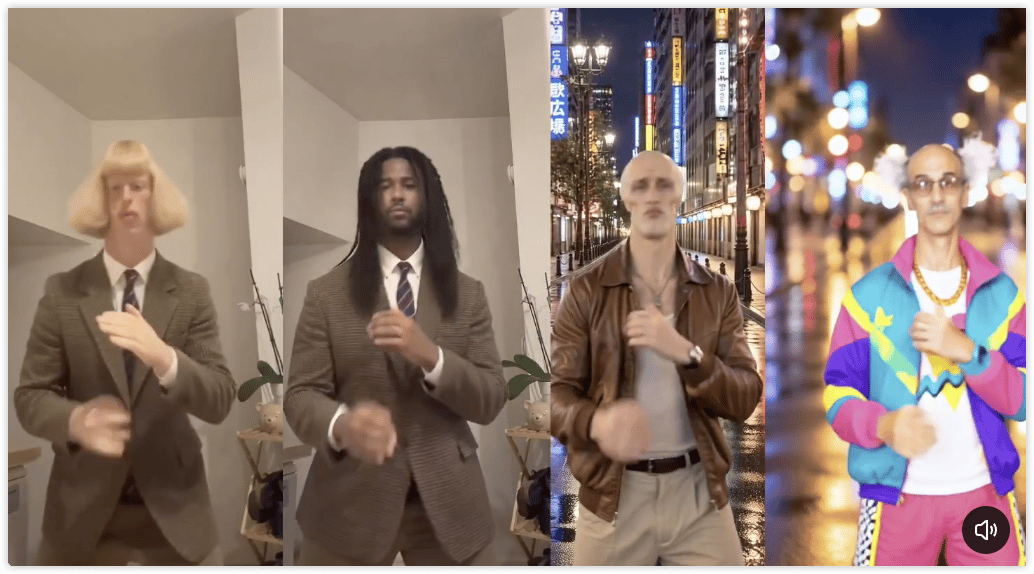
The workflow comes pre-loaded with the iconic 9:16 Window Peeper reference video and an optimized AI prompt that instructs the model to replace only the man in the video with the person from your uploaded photo while keeping the original motion, lighting, and window scene completely intact. (Optional: You can customize the prompt or adjust video parameters if you want extra creative changes.)
Step 3: Generate & Download Your Viral AI Video
Click Generate on the "Step 3: Generate Video" node. Powered by our Seedance2 AI video model, the generator will process your image and render a smooth, 15-second vertical (9:16) Window Peeper video. Once completed, preview your clip and download the MP4 file ready to share on TikTok, Instagram Reels, or YouTube Shorts!
Frequently Asked Questions (FAQ)
1. What is the Window Peeper AI Video Generator?
The Window Peeper AI Video Generator is an online AI video creation tool built on a pre-configured workflow. It allows you to take the trending "Window Peeper" video template and effortlessly replace the person in the video with anyone from a single static photo using advanced AI character replacement technology.
2. What kind of photo works best for the Window Peeper video swap?
For the most realistic AI video generation:
- Clear & Front-Facing: Choose a portrait or upper-body shot where the face and upper torso are clearly visible.
- Good Lighting: Avoid heavy shadows, extreme angles, or blurry images.
- Single Subject: Make sure there is only one main person in the uploaded photo so the AI accurately identifies who to swap into the window scene.
3. Does the AI change the background or original action of the Window Peeper video?
No. By default, our workflow is prompted to only replace the character in the video with the person in your uploaded photo while keeping everything else consistent—including the window frame, camera movement, lighting, and comedic timing of the original clip.
4. What aspect ratio and duration is the generated video?
The output video is generated in a 9:16 vertical aspect ratio and runs for approximately 14–15 seconds, making it perfectly formatted for mobile-first platforms like TikTok, Instagram Reels, and YouTube Shorts without needing extra cropping.
5. Do I need to write my own prompts or edit keyframes?
Not at all! The workflow is completely beginner-friendly and pre-configured. Both the original Window Peeper reference video and the character-replacement prompt are already set up for you. All you need to do is upload your photo in Step 1 and hit generate in Step 2.
6. Can I use Fictional Characters, Celebrities, or AI Avatars?
Yes! In addition to real human portraits, you can upload stylized portraits, AI-generated avatars, or fictional character images. The AI model will adapt the character's appearance to match the movements of the original Window Peeper video.
7. Can I customize this workflow for my own video templates and creative needs?
Absolutely! While this workflow comes pre-configured for the Window Peeper trend, it is fully customizable on the canvas. You can use this workflow as a blueprint and freely modify it to fit your projects:
- Swap the Reference Video: Upload any other viral clip or custom footage to create new character-swap templates.
- Adjust the AI Prompt: Rewrite or fine-tune the prompt to change background details, lighting, clothing, or visual styles.
- Customize Video Duration & Aspect Ratio: Adjust the output length and dimensions (e.g., 16:9, 1:1, or 9:16) to match different platforms.
- Switch AI Video Models: Choose from multiple state-of-the-art AI video generation models available on the canvas to achieve the best motion and visual quality for your specific scene.