Dog Grooming AI Video Generator – My Dog When It's Grooming Time
One photo becomes the viral grooming video: your dog takes down two groomers — then shaves THEIR heads. The 10-second role reversal. No prompt, no watermark.
Create with this template
Adjust the media or text in each step, then click Generate to see the results.
Step 2: Generate Your Own "Dog Grooming " style Video
Please do not close this page while generation is in progress. If you close it, you can check the progress and results in History in the top-right corner.
What Is the Dog Grooming AI Trend?
Everyone knows the "my dog when it's grooming time" genre — clips of dogs plotting their escape from the grooming table. But this template flips the script in the best way possible: the dog wins. In the generated video, your dog doesn't run from the groomers — it takes them down. One groomer approaches: handled. A second one tries their luck: down he goes. By the end, the salon belongs to the dog.
That reversal is the whole joke. The setup promises the familiar grooming-time struggle; the payoff delivers a canine action hero nobody saw coming. It's the perfect trend format — a one-photo upload, a fifteen-second fight scene, and a punchline your group chat will rewatch five times.
Note: This is a fan-made template inspired by a viral trend. All content is AI-generated — no groomers were harmed.
How to Use — Two Steps, No Prompt Needed
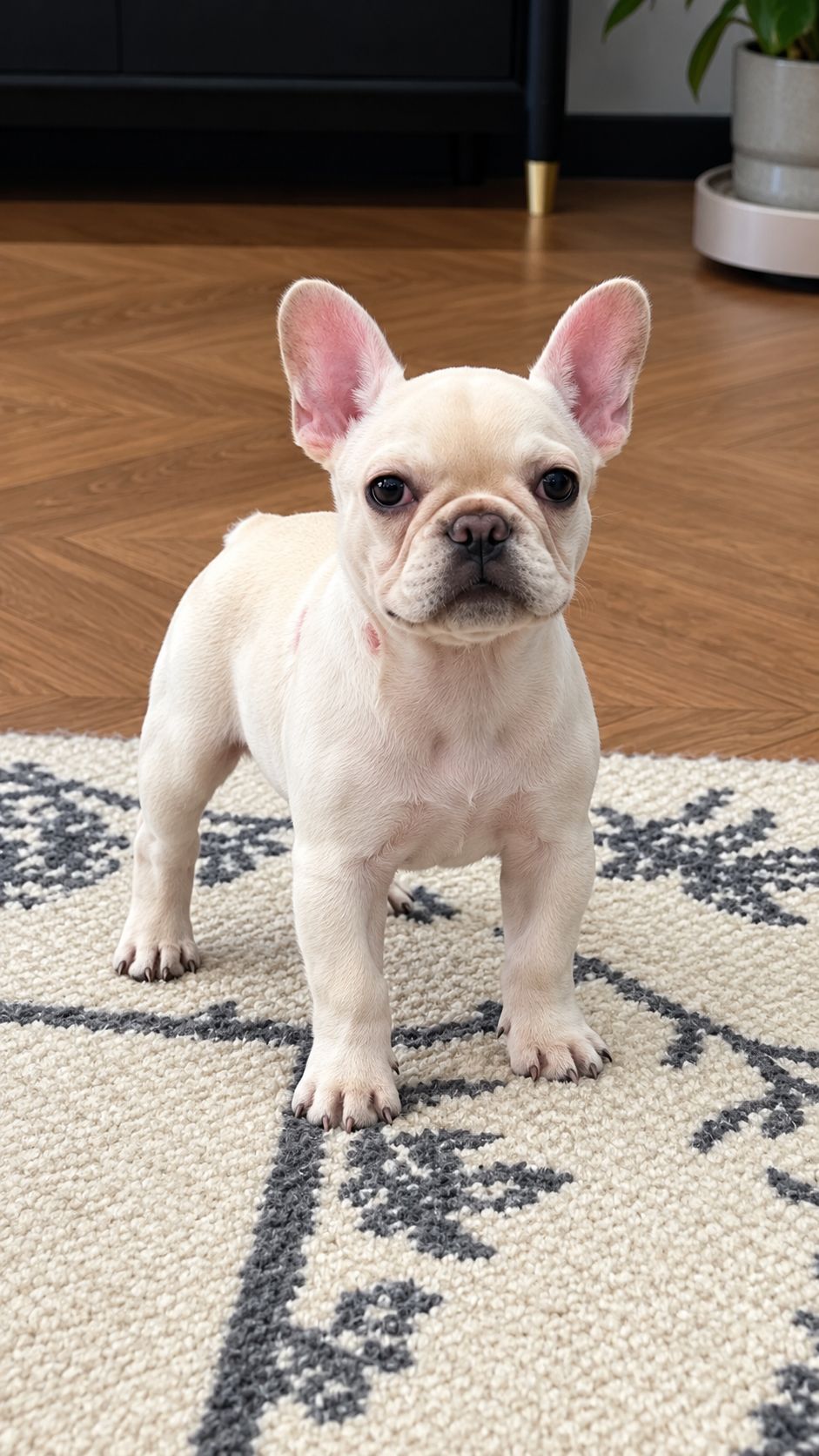
Step 1: Upload Your Pet's Photo
One clear, front-facing photo of your dog (or cat — see the FAQ). JPG, PNG, or WebP, up to 10 MB.
Step 2: Generate Your Dog Grooming AI Video
Click generate. The AI stages the full 10-second sequence — the clippers standoff, two groomers taken down, and the head-shave victory — as a finished video ready to download and post.
Why This Dog Grooming AI Generator Stands Out
- The twist, not the struggle — while everyone else makes "dog escapes grooming" videos, this template delivers the reversal: your dog wins the salon.
- Two takedowns, one upload — the full story arc (groomer one, groomer two, victory) from a single photo.
- No prompt, ever — photo in, fight scene out.
- Clean output, no watermark — ready for TikTok, Reels, or Shorts.
- Privacy-friendly — uploaded photos and generated videos are automatically deleted after 7 days and are not used for training.
Creative Ideas to Try
- The undefeated champion — the classic: your dog, the salon's final boss.
- Cat version — a cat subduing two groomers needs no dialogue. The face says everything.
- Tiny dog, huge menace — the smaller the dog, the harder the punchline lands.
- Groomer's revenge series — generate one for each of your pets and rank the family by takedown speed.
- Before-and-after post — pair it with your dog's actual grooming photo: "the reason we got banned from the salon."
Best Practices for the Best Result
- Use a clear, front-facing photo — your pet's face is the star of every takedown.
- Good lighting and a plain background help the AI composite the salon scene cleanly.
- Confident or neutral expressions read best for the action-hero edit.
- Higher-resolution originals keep your pet's face sharp through the fast cuts.
Frequently Asked Questions (FAQ)
What is the Dog Grooming AI trend?
A viral TikTok format (20K+ likes and climbing): a groomer approaches with clippers to shave the dog — and the dog subdues both groomers one after another, then shaves their heads with the clippers. Full role reversal in 10 seconds. This template recreates it from one photo of your pet.
Is this the trend where the dog tries to escape grooming?
No — that's the classic grooming-resistance genre. This template is the twist version: the dog doesn't run, it wins. Expect takedowns, not escapes.
Do I need one photo or two?
One photo of your pet is all it takes. The groomers, the salon, and the whole sequence are generated by the AI.
Can I use a photo of my cat?
Yes — cats in the takedown role are a fan favorite. Any clear, front-facing pet photo works.
What do I get exactly?
A 10-second 9:16 video of your pet's grooming-salon takeover — two takedowns and the head-shave finish — no watermark, ready to download and post.
How long does generation take?
Usually a few minutes, even at peak times. You can switch to other tabs while it renders — just keep this tab open, and the video appears here when it's ready.
What if my generation fails?
Failed generations are refunded automatically — credits return to your account instantly.
Do my credits work on other templates?
Yes. Credits are universal across OimiTV — every trending template on the platform accepts the same credits.
Will my photos be stored or used for training?
No. Uploaded photos and generated videos are automatically deleted after 7 days and are not used for training.