AI Talking Avatar Workflow | Photo to Lip-Sync Video Generator
Turn any portrait photo and audio clip into a realistic talking head video. Zero prompts required. Perfect for AI video presenters, faceless content creation, e-commerce marketing, and corporate training. Support Audio Clone.
Create with this template
Adjust the media or text in each step, then click Generate to see the results. Want more control? Open the full workflow in AI Infinite Canvas.
Open in AI Infinite CanvasStep 1: Generate AI Avatar
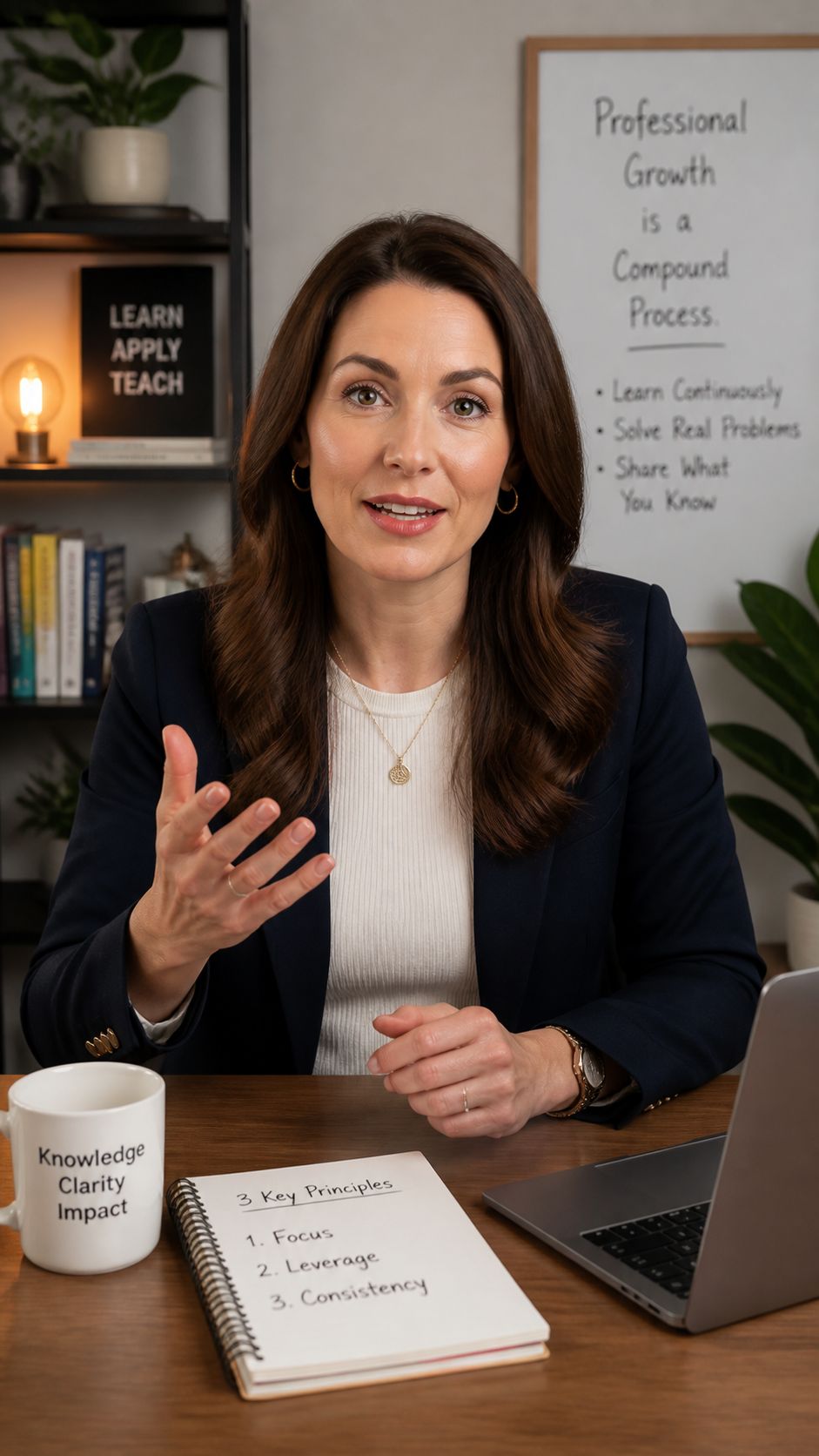
Step 3: Generate AI Avatar Talking Video
Keep this page open while generating.
✨ Why Use This AI Talking Avatar Workflow?
- 🎯 Zero-Prompt Video SynthesisSkip the trial-and-error of writing motion prompts. The AI analyzes your audio track directly to drive realistic mouth movements, micro-expressions, and natural head nods.
- 🗣️ Ultra-Accurate Lip-SyncEngineered to match phonetic nuances, vocal cadence, and emotional tone with millisecond precision—delivering smooth, lifelike delivery without the uncanny valley effect.
- 📸 Custom Avatars or Real PhotosGenerate a brand-new, royalty-free professional presenter right inside the canvas using AI, or upload your own portrait photo to create your personal digital twin.
- ⚡ All-in-One Visual PipelineFrom portrait creation and Text-to-Speech (TTS) audio generation to final lip-sync rendering, manage your entire video production pipeline seamlessly on one canvas.
🚀 How It Works in 3 Easy Steps
Step 1: Prepare Your Presenter Image
Generate a photorealistic portrait (e.g., a business professional or studio host) using the built-in image node, or upload a clear front-facing photo from your device.
Step 2: Add Your Voiceover Audio
Upload an existing voice recording (MP3/WAV) or type your script into the audio node to generate a natural-sounding AI voiceover in seconds.
Step 3: Generate Your Talking Video
Connect both the Image and Audio nodes to the video generator. With zero text prompts needed, hit run to produce a high-definition, perfectly synced talking head video.
💡 Built For Modern Creators & Teams
- 📱 Faceless Content Creators & EducatorsPublish daily explainers, news recaps, book summaries, and tech tutorials on YouTube, TikTok, and Reels without ever stepping in front of a camera.
- 🛍️ E-Commerce & Global MarketingScale product demos and UGC-style ads globally. Pair your avatar with multilingual audio to pitch products in English, Spanish, Japanese, and more at a fraction of studio costs.
- 🏢 Corporate Training & Internal CommsTransform static PDFs, SOPs, and onboarding docs into engaging video presentations led by a consistent, professional digital spokesperson.
❓ Frequently Asked Questions (FAQ)
Q1: Do I need to write text prompts to animate the talking video?A: No prompts are needed at all! During the video synthesis stage, the model relies entirely on your input audio to drive the lip movements and facial expressions automatically.
Q2: Does this workflow also support 2D cartoons, anime, or illustrated characters?A: Yes, absolutely! While this template showcases photorealistic presenters by default, the underlying lip-sync model works great with 2D illustrations, anime characters, 3D stylized avatars, and digital paintings—as long as the character's face and mouth are clearly visible.
Q3: What kind of portrait photo gives the best results?A: For the most natural outcome, use a clear, well-lit, front-facing portrait where the face and mouth are unobstructed (avoid hands, microphones, or heavy shadows covering the lips), with a neutral expression or a slight smile.
Q4: Which languages are supported for lip-syncing?A: Because our lip-sync engine maps motion directly to audio phonemes and sound waves, it works universally across English, Mandarin Chinese, Spanish, French, Japanese, Korean, German, and virtually any other spoken language.
Create with more freedom
Explore the full workflow, prompts, and models on the AI infinite canvas, and let Agent help bring more of your ideas to life.