GTA 6 Cover & Poster Template – Free AI Photo Generator
Turn your photo into a GTA 6 style cover or poster in four modes — Solo, Duo, Couple, or the Loading Screen. Bold promo-art style, free to try, no watermark.
Create with this template
Adjust the media or text in each step, then click Generate to see the results.
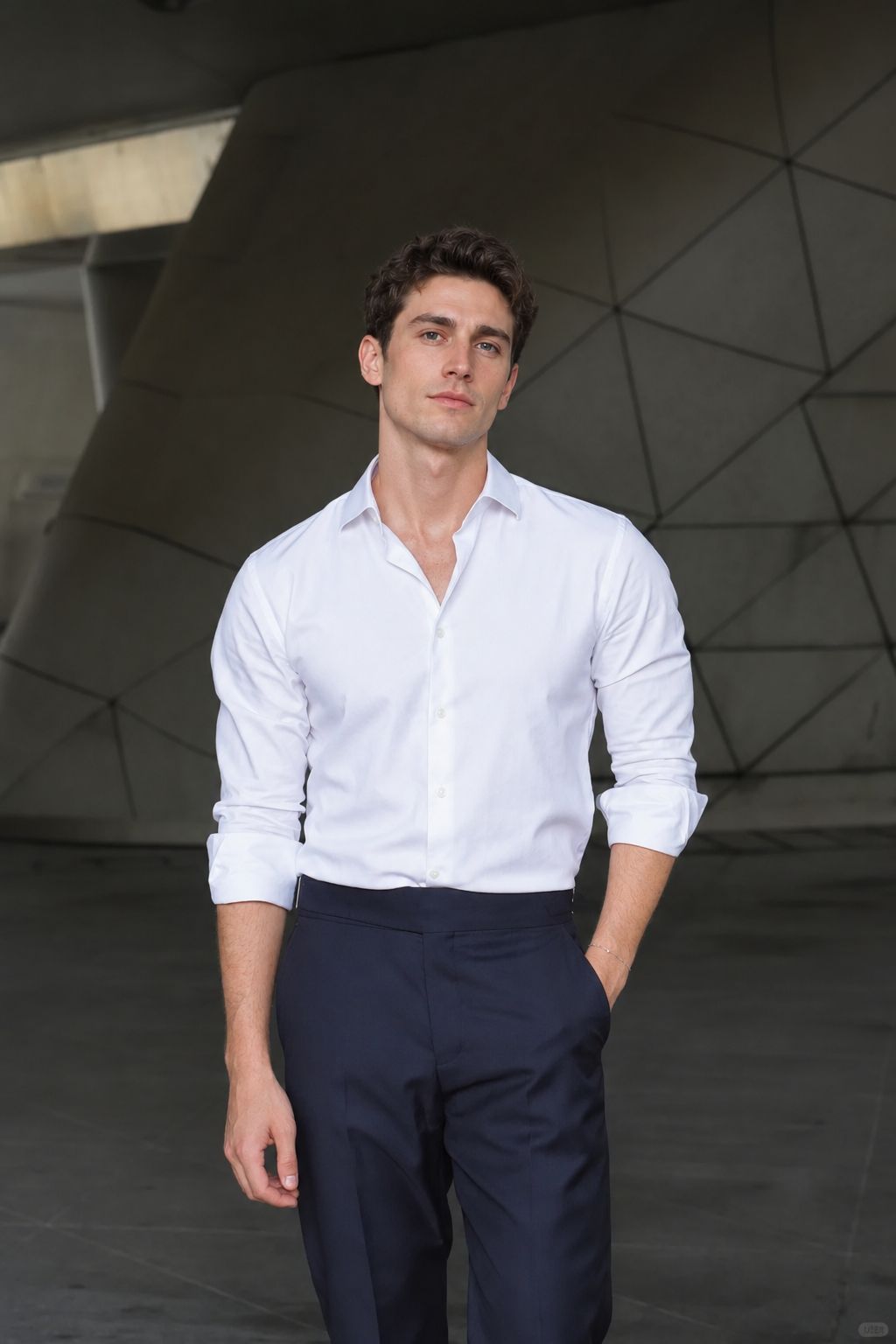
Step 2: Generate Your "GTA 6 Style" Photo
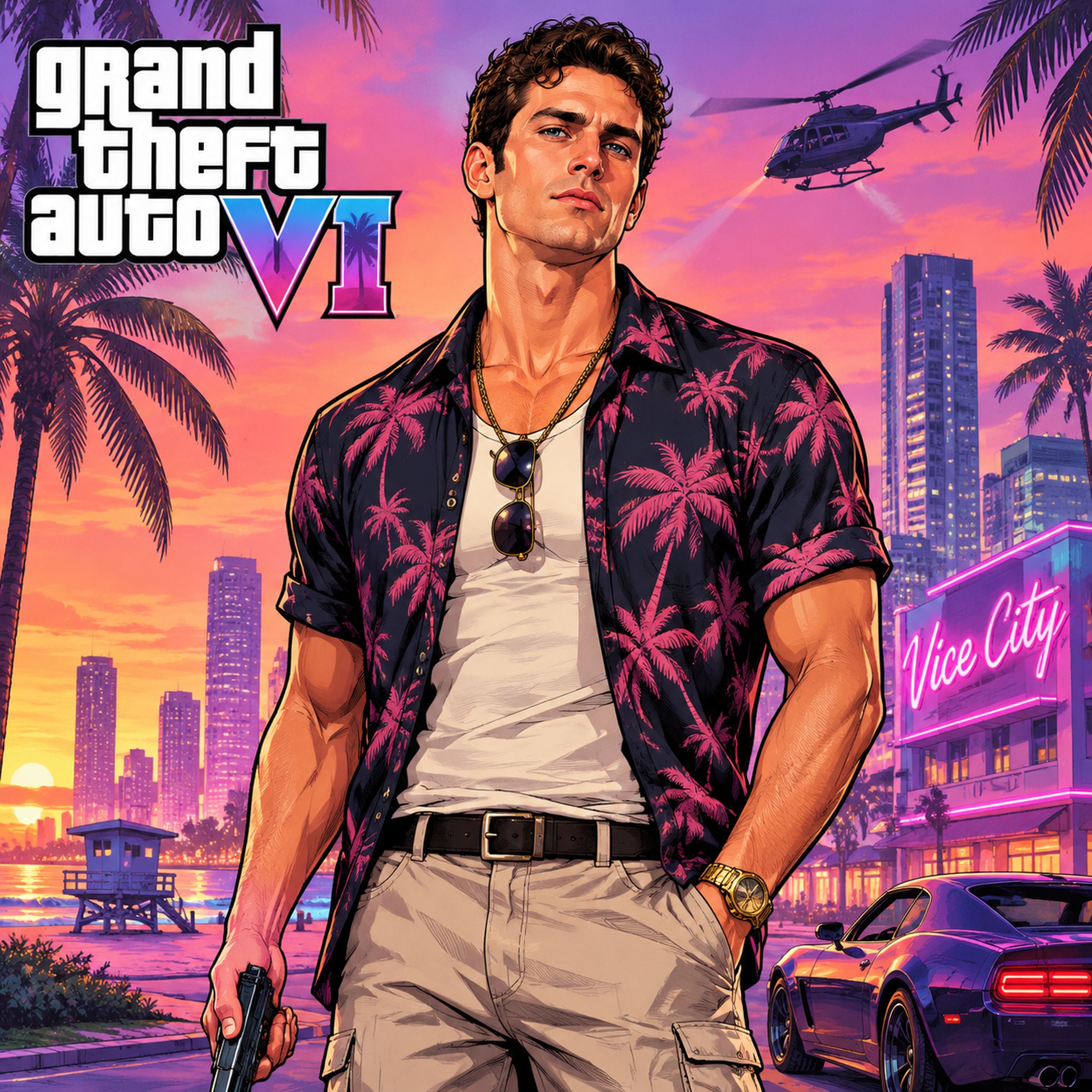
Please do not close this page while generation is in progress. If you close it, you can check the progress and results in History in the top-right corner.
What Is the GTA 6 Style Poster Trend?
GTA 6 launches November 19, 2026 — and the internet is celebrating the only way it knows how: by turning themselves into the game's iconic promo-art style. The look everyone is chasing is Rockstar's signature launch-art aesthetic: bold cel-shaded illustration, saturated Vice City colors, dramatic character poses, like a loading screen that stars you.
The trend started during launch week when users began feeding selfies into ChatGPT and Gemini with prompts like "Make me a GTA 6 character" — the DIY prompt route spread fast, but it means writing, tweaking, and re-rolling until the style lands. This template does it in one click, and goes further than the DIY route with three modes: a solo character portrait, a two-person Duo shot, or the Couple key art — the game-cover treatment.
Trending Video Formats for TikTok & Reels
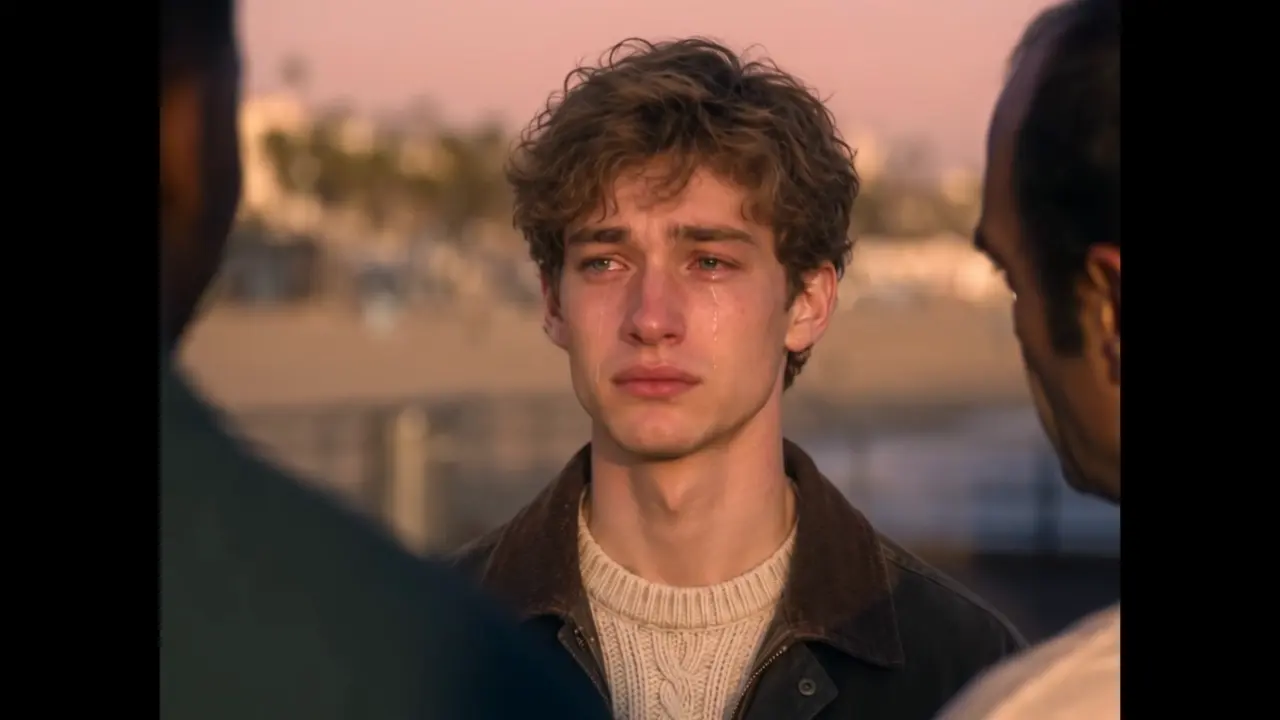
Want to turn the trend into a viral TikTok or Reel? The biggest video format right now is the emotional "era handover" — where Michael, Franklin, and Trevor pass the torch to you on the sunset pier as you drive off into Vice City. You can generate this exact clip in one click with the Goodbye GTA 5 AI Video Generator (or try the classic photo-to-poster wipe with the GTA 6 Loading Screen AI Video Generator).
Note: This is a fan-made template inspired by the launch of GTA 6. It is not affiliated with Rockstar Games or Take-Two Interactive, and contains no game assets.
How to Use — Four Modes
Template 1: Solo — Your Character Portrait
One photo, one Vice City legend. Upload a clear, front-facing photo and the AI renders you in the full GTA 6 promo-art style: cel-shaded lines, launch-week color grade, main-character pose.
Template 2: Duo — Two Characters, One Frame
Upload one photo each for two people — you and a friend as a two-character team, rendered together in the promo-art style.
Template 3: Couple — The Key Art
The GTA cover treatment: you and your partner as the couple on the game's key art, styled like the official launch poster.
Template 4: Lock Screen — The Trend
output 9:16 poster,ready for post on social media,e.g. TikTok、Facebook.
Every mode works the same: one photo per slot, click generate, download your GTA 6 style poster.
Turn Your Duo or Couple Photo Into a GTA 6 Game Cover
The GTA 6 cover everyone's waiting for puts Jason and Lucia front and center — two leads, one frame, neon-soaked Vice City behind them. You don't need Rockstar to get the treatment: upload two photos as Duo, or point the camera at one couple, and the template rebuilds you both in promo-art illustration style, posed like the leads of your own game cover.
What makes it read as a cover, not just a poster:
- Key-art composition — both characters cropped waist-up, angled slightly outward, the classic two-leads stance
- Promo-art shading — flat, cel-style rendering instead of a photo filter slapped on a selfie
- The Vice City palette — saturated neon colors and bold outlines that scream game box art
Duo gives you the classic two-leads cover from two separate photos; Couple builds it from a single shot together — a hug, back-to-back, or your best key-art pose. Either way, you'll have a GTA 6 cover to post before the game finishes installing.
Creative Ideas to Try
- The launch-day profile pic — swap your avatar to GTA 6 style for launch week. Instant recognition.
- The crew select screen — your friend group as the character select art, one Solo at a time.
- Couple key art — you and your partner as the two leads of your own GTA 6 cover.
- Pet as a Vice City legend — a cat or dog in promo-art style is an effortless hit.
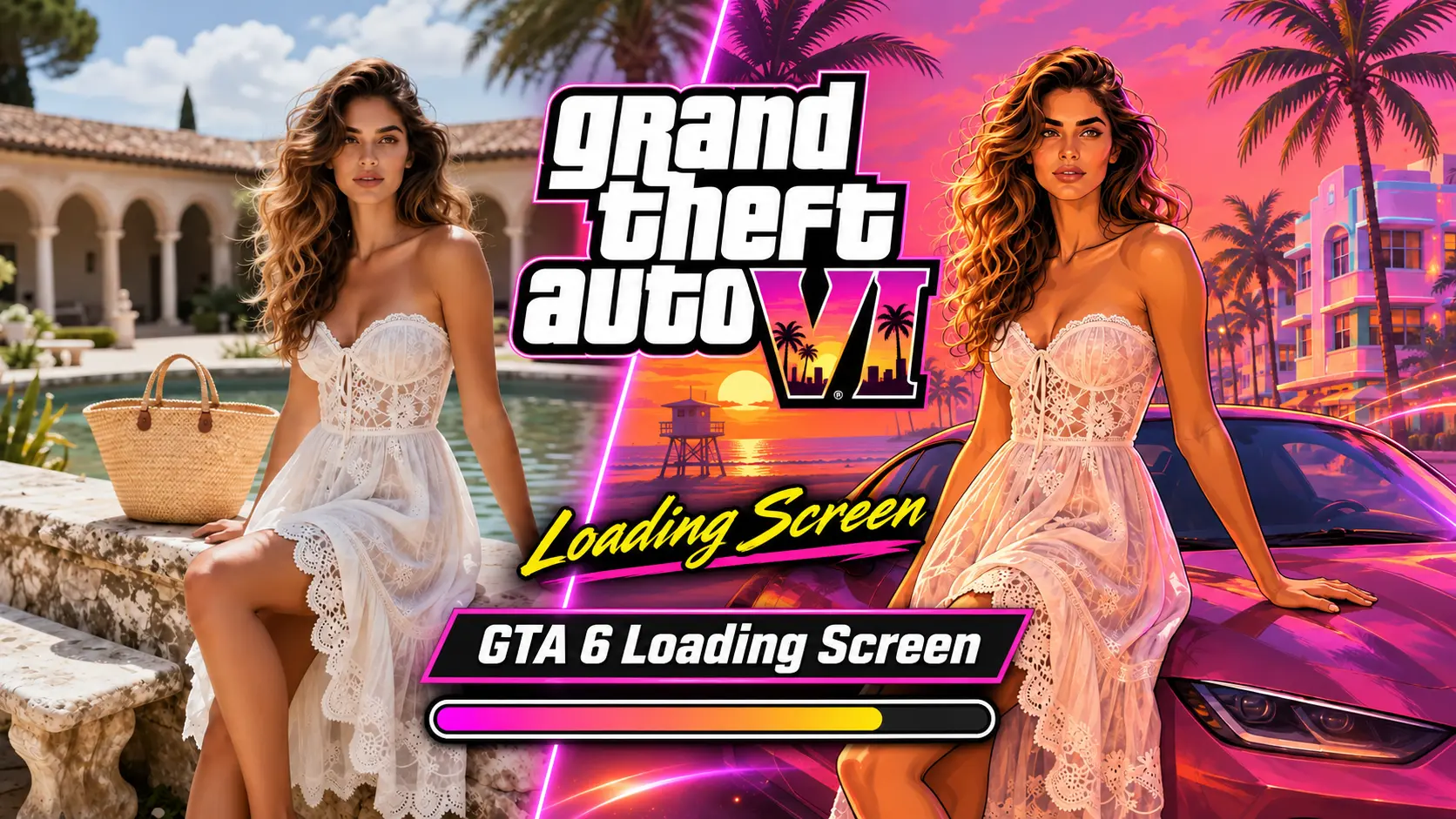
- Before / after — post the original photo next to the GTA 6 version: the style gap is the hook.
- The farewell duo — pair this with the Goodbye GTA 5 handover video for the full two-era farewell post: goodbye to GTA 5, welcome to GTA 6.
- Lucia-style poster of your own — solo key art, Vice City sunset behind you.
Best Practices for the Best Result
- Use a clear, front-facing photo with even lighting — the style transform reads your features directly.
- Plain backgrounds convert cleanest into the promo-art look.
- Higher-resolution originals produce sharper cel-shaded outlines.
- One person per photo in Solo and Duo modes keeps poses and faces clean.
The DIY Prompt (If You'd Rather Write It Yourself)
Transform this photo into a GTA 6 promo-art style illustration: bold cel-shaded lines, saturated Vice City color palette, dramatic main-character pose, Rockstar launch-art aesthetic, high detail.
Want the full recipe? Our Photo to GTA 6 Style Streetwear Character Poster prompt breaks down the exact wording for the streetwear character poster version — or skip prompts entirely and generate it in one click above.
Frequently Asked Questions (FAQ)
What is the GTA 6 style poster trend?
A launch-week AI trend for the November 19 release of GTA 6: people turn their photos into images styled like the game's bold cel-shaded promo art — themselves as characters from Vice City.
The most viral form is the "loading screen" edit: a real photo that wipes into the painted GTA 6 poster.
How do I make a GTA 6 style poster?
Pick a mode (Solo, Duo,Couple or GTA 6 Loading Screen), upload your photo(s), and click generate — no prompt needed. The output is a GTA 6 promo-art style image, ready to download and post.
Is Couple mode the same as the GTA 6 game cover?
Essentially, yes — Couple renders one photo of you into the two-leads key-art treatment, which is what fans mean by a "GTA 6 cover." Duo does the same from two separate photos, giving you more control over each character.
What's the difference between the four modes?
Solo renders one photo as a single character portrait. Duo places two people in one frame as a two-character team. Couple styles you and your partner like the game's official key art. Loading Screen will output 9:16 poster for share.
Can I use it as my GTA 6 loading screen?
Yes — the output is styled exactly like a GTA 6 loading screen: bold cel-shaded art, Vice City colors, main-character pose. Use it as your loading-screen wallpaper — or turn it into the animated version with the GTA 6 Loading Screen AI Video Generator: your photo wipes into the poster with sound, in one 8-second clip.
Do I need to write a ChatGPT or Gemini prompt?
Not here. The style is pre-tuned to the GTA 6 launch-art look. (If you enjoy the DIY route, we've included the copy-paste prompt above.)
Can I make one for my pet?
Yes — pets as Vice City legends are among the funniest versions of this trend.
Is this an official Rockstar Games tool?
No — this is a fan-made style template celebrating the GTA 6 launch. It is not affiliated with Rockstar Games or Take-Two Interactive.
Is it free to try?
Yes — new users get free credits, enough to generate your GTA 6 style photo at no cost. No card required to start. If you like it and would like to generate more, you can purchase additional credits. credits work across every template(including AI Image and AI Video) on OimiTV.
What do I get exactly?
A GTA 6 promo-art style image generated from your photo — no watermark, ready to use as a profile picture or social post.
Will my photos be stored or used for training?
No. Uploaded photos and generated images are automatically deleted after 7 days and are not used for training.