LISA Tarantino AI Dance | Turn Your Photo Into Trend Dance
Join the viral LISA Tarantino AI dance trend in minutes. Upload one photo, our AI motion-transfer engine animate you dancing like Tarantino choreography from BLACKPINK LISA's solo single — no practice, no studio, no prompt,no editing skills required.
Create with this template
Adjust the media or text in each step, then click Generate to see the results. Want more control? Open the full workflow in AI Infinite Canvas.
Open in AI Infinite Canvas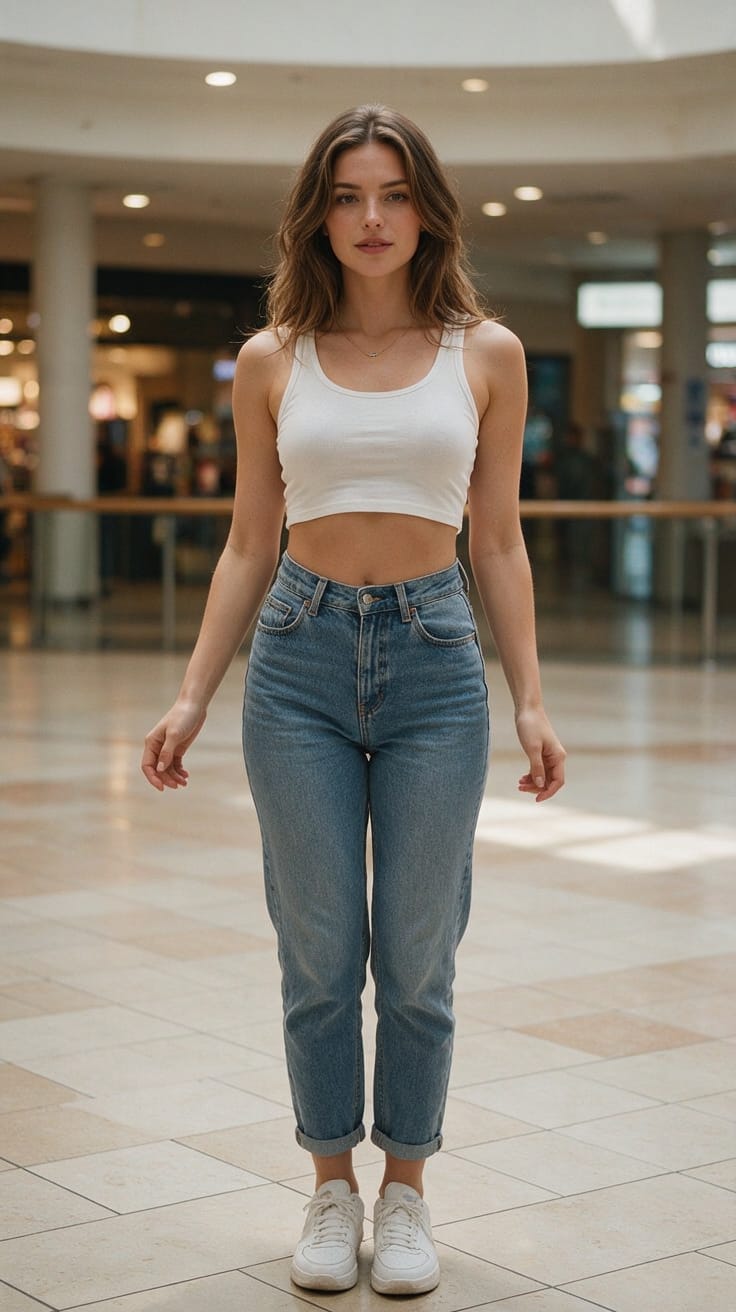
Step 2: Generate Your Dance Video
Keep this page open while generating.
What Is the LISA "Tarantino" AI Dance Trend?
"Tarantino" is the second single from LISA's solo EP PRESS PLAY, released October 23, 2026. Inspired by Quentin Tarantino's film aesthetic, the track pairs a punchy, fast-paced beat with sharp, stylized choreography that has exploded across TikTok, Instagram Reels, and YouTube Shorts.
Because the routine is intricate and rhythm-heavy, fans are turning to AI dance generators to recreate it. Instead of learning every move, you simply upload a static portrait and the AI maps LISA's exact motion trajectory onto your body — producing a share-ready video in minutes.
How to Use — Generate Your LISA Tarantino AI Dance in 3 Steps
- Upload your photo — Choose a clear, well-lit portrait. A full-body shot against a clean background delivers the smoothest motion transfer.
- Generate & download — Hit "Generate." Within moments, your custom LISA Tarantino AI dance video is ready to save and post to TikTok, Instagram, or YouTube Shorts.
Want more control? Switch models, tweak aspect ratios (9:16 for Reels, 1:1 for feed, 16:9 for YouTube), or collaborate with an AI Agent in the AI Infinite Canvas to iterate, compare, and refine versions side by side.
Why This AI Dance Generator Stands Out
- Cinematic motion fidelity — Trained on high-frame-rate dance references to preserve LISA's signature sharp isolations and footwork.
- One-photo input — No green screen, no multi-angle capture, no rigging.
- Fast turnaround — Most 10–15 second clips render in under a minute.
- Privacy-first — Uploaded photos and videos are used only to generate your clip and are auto-deleted after about a week.
- Universal credits — The same balance powers 30+ top AI models including Seedance 2.5, GPT-Image-2.5, Suno, Gemini, and Kimi k3 — for images, video, music, and text in one workspace.
Creative Ideas & Prompts to Try
- Kill Bill homage — Pair the Tarantino dance with a yellow tracksuit reference image for instant cinematic flair.
- Group mashup — Generate four separate clips and stitch them into a fake BLACKPINK OT4 performance.
- Location swap — Drop yourself into a neon-lit diner, a samurai dojo, or a desert highway to match the song's movie-poster energy.
- Costume variants — Re-run the same motion with different outfits (leather jacket, red suit, vintage prom dress) for a multi-look reel.
- Slow-mo highlight — Render at higher frame rate, then slow the chorus hit for dramatic effect.
Best Practices for Smooth Results
Use a full-body, front-facing photoCrop out feet or handsKeep the background simple and evenly litShoot against busy patterns or crowds. Own the rights to the photo you upload.
Frequently Asked Questions (FAQ)
Q1: Can I use any photo?
A: For best results, use a clear, well-lit full-body shot with a clean background. Cluttered scenes can reduce motion-transfer accuracy. Make sure you have the right to use the photo.
Q2: How long can the generated video be?
A: Output length follows your reference video. We recommend 10–15 seconds for fast, stable generation.
Q3: Will my photos be used for anything else?
A: No. Uploads are used strictly to generate your video, never for commercial purposes or public display, and are auto-deleted after roughly one week.
Q4: Why do movements sometimes look choppy?
A: This usually traces back to the reference video's frame rate or choreography complexity. Try a cleaner, steadier reference for smoother output.
Q5: Can I post the result on TikTok or Instagram?
A: Yes — these work great as personal, non-commercial parody or entertainment content. Ensure you have rights to the source photo.
Q6: Can I try it for free?
A: New accounts receive free credits. Longer videos cost more, so start short; top up anytime if you love the result.
Q7: What if generation fails?
A: Failed tasks automatically refund the credits used.
Q8: Can my credits generate other content?
A: Absolutely. Credits are universal across 30+ models (Seedance 2.5, GPT-Image-2.5, Suno, Gemini, Kimi k3, and more) for AI images, video, music, and text.
Create with more freedom
Explore the full workflow, prompts, and models on the AI infinite canvas, and let Agent help bring more of your ideas to life.