Tiny Desk Meme Template:make a band concert of your own
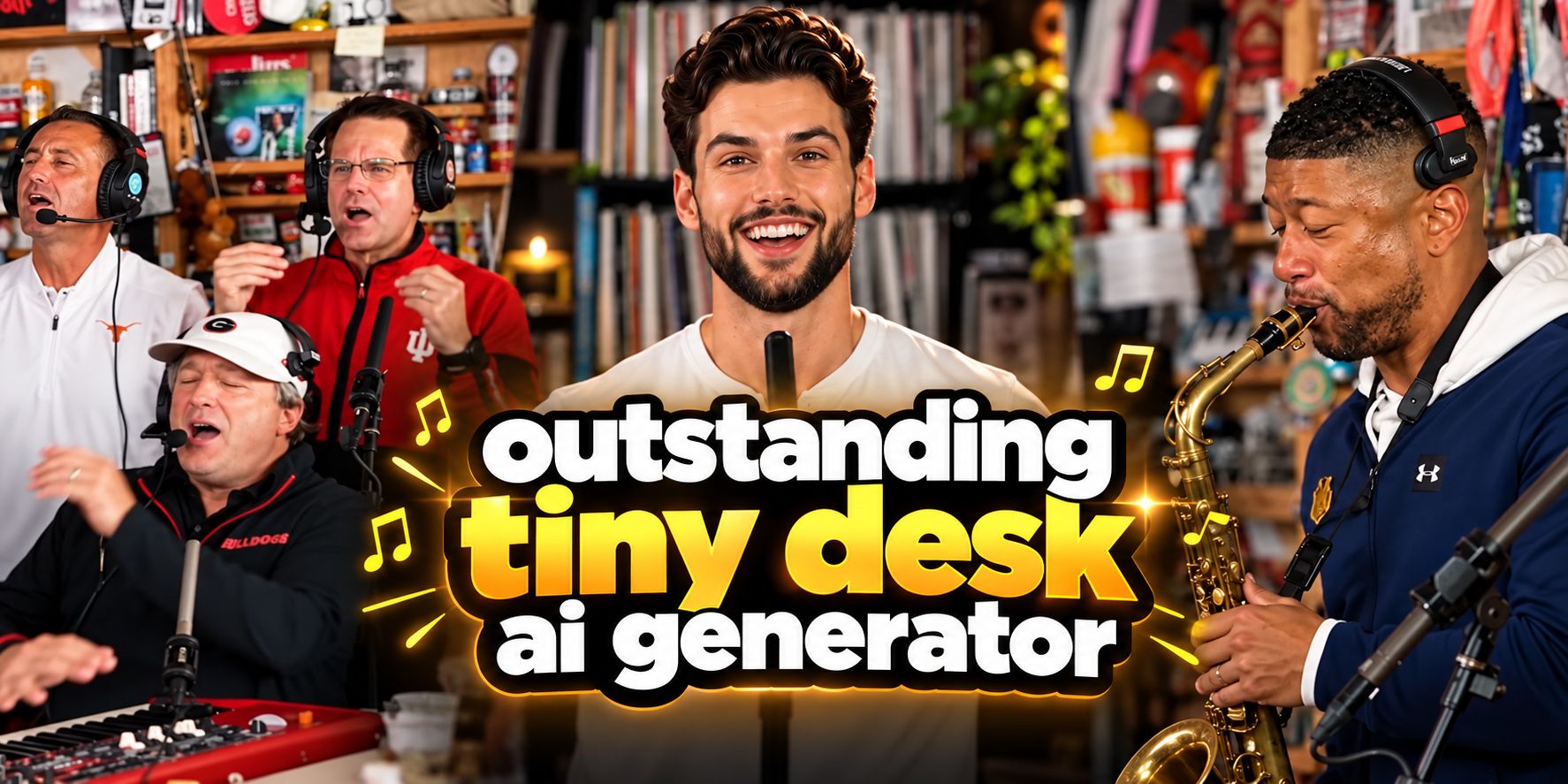
Turn one portrait into the star of a brand-new Tiny Desk–inspired concert. Upload your photo to create the lead singer, then customize the keyboardist, backing vocalists, and saxophonist to build a band concert of your own.
Create with this template
Adjust the media or text in each step, then click Generate to see the results. Want more control? Open the full workflow in AI Infinite Canvas.
Open in AI Infinite Canvas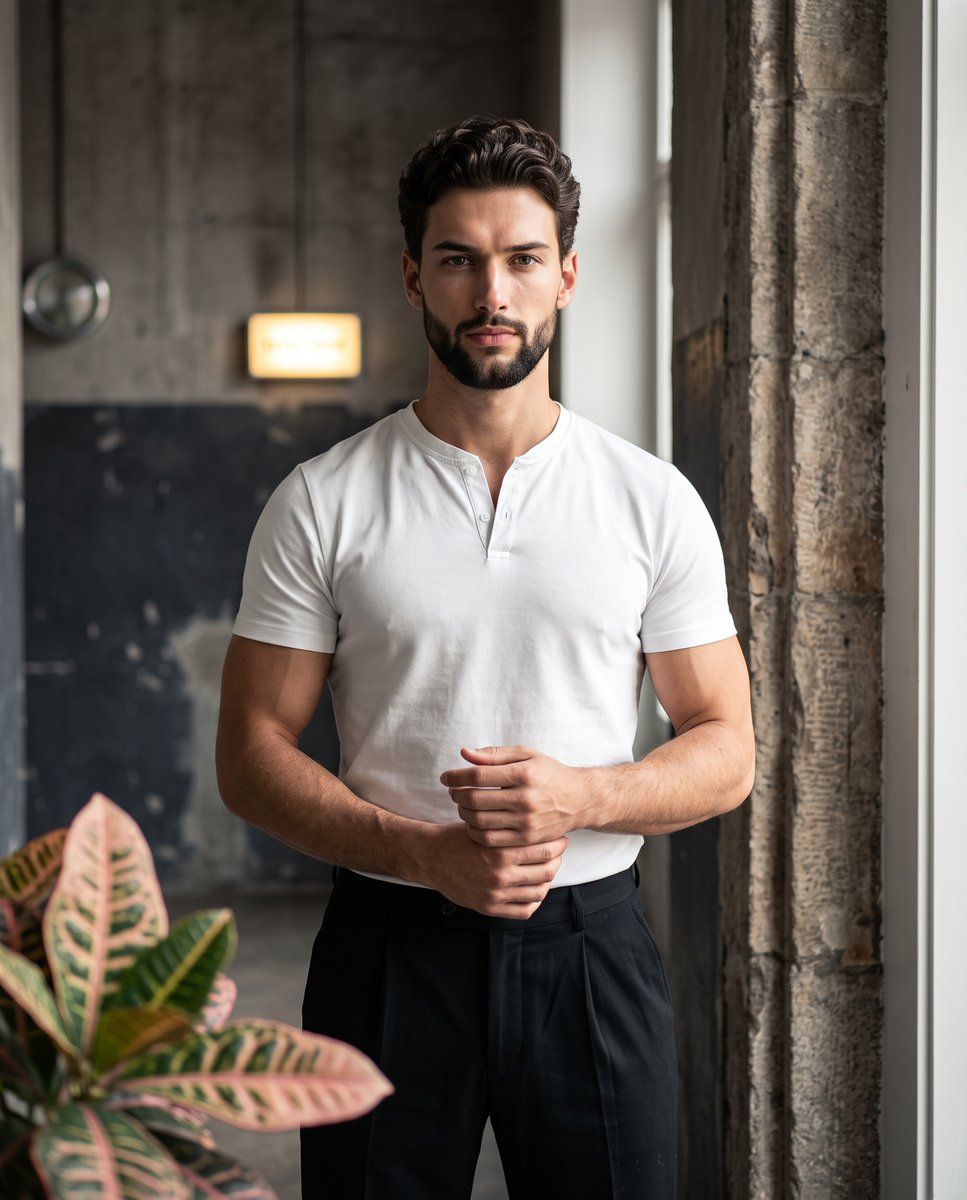
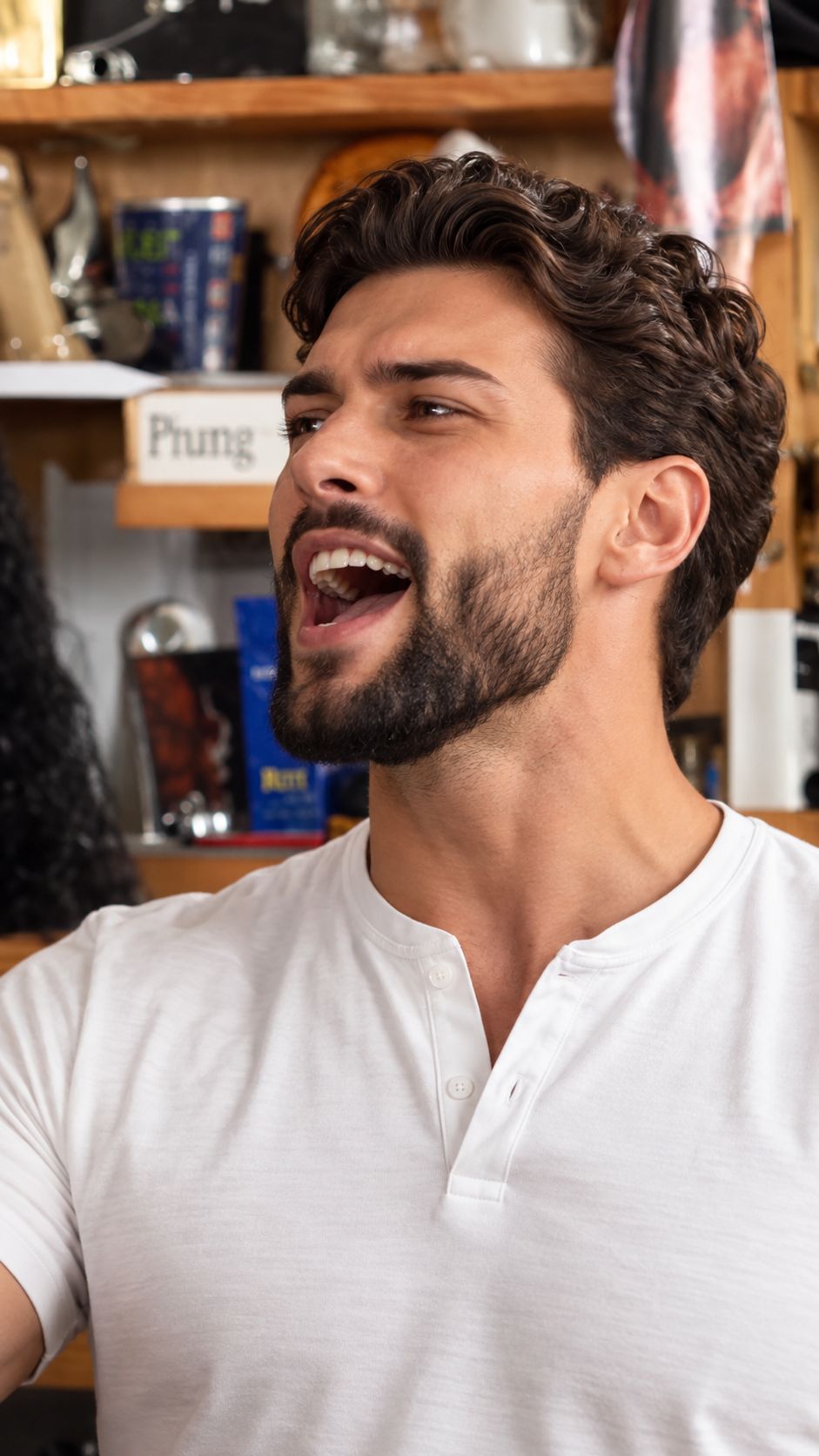
Step 2: Generate Lead Singer Concert Image
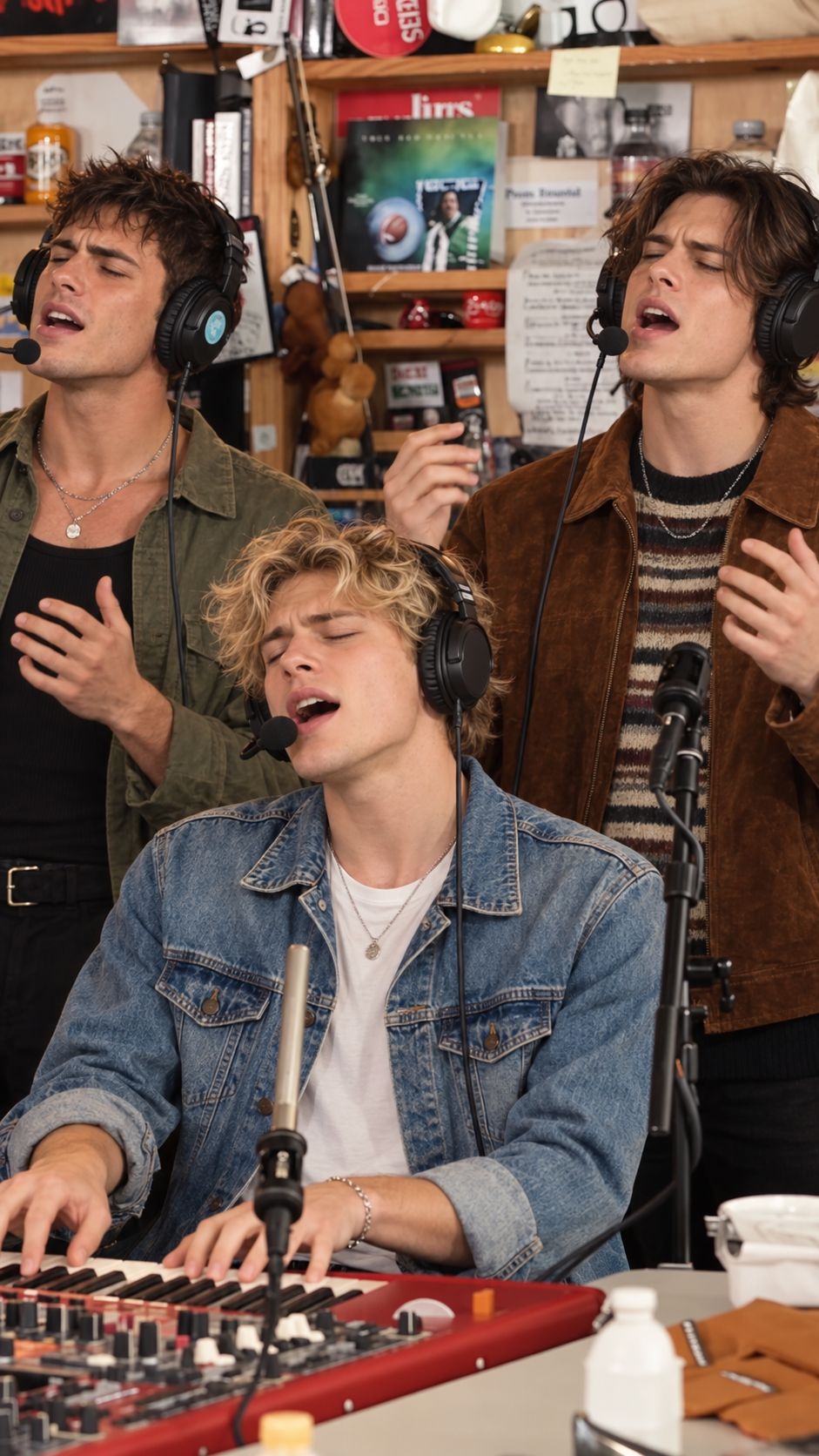
Step 3: generate new band members (optional)
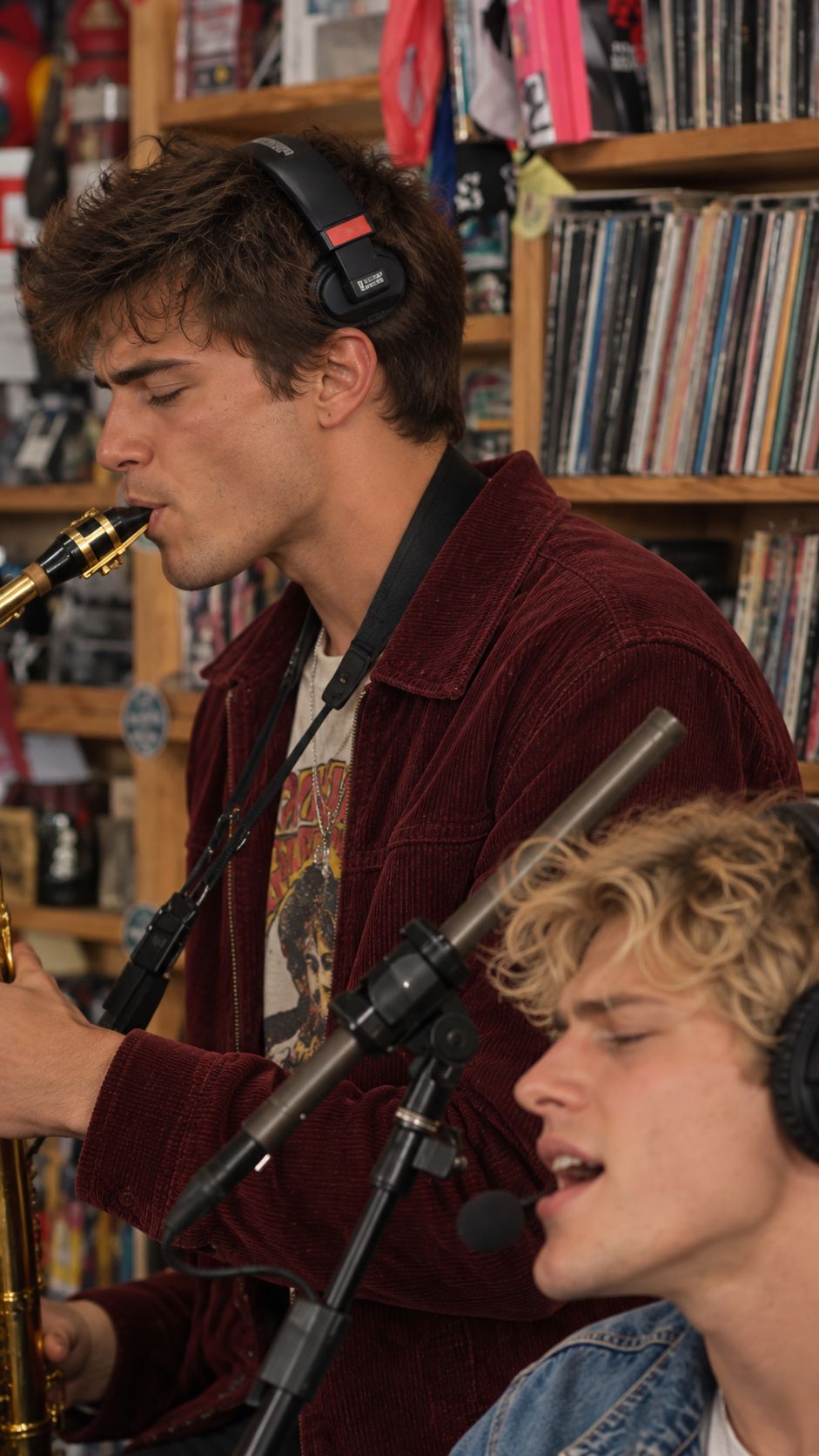
Step 4: generate new sax (optional)
Step 5: Make New Tiny Desk AI Video
Keep this page open while generating.
How to Make an Outstanding Tiny Desk AI Video (Step-by-Step)
Create your own viral Outstanding Tiny Desk meme in minutes using Oimi AI's pre-configured infinite canvas template. Whether you want a quick one-click lead singer swap or a complete band makeover with custom members, no complex video editing or manual face-swapping skills are required.
-
Step 1: Upload Your Photo as the Lead Singer
Upload a clear, front-facing portrait of yourself, a friend, a sports coach, or your favorite character (step1: upload your photo as lead singer). High-resolution photos with good lighting and unobstructed facial features deliver the best AI identity preservation. -
Step 2: Generate the Lead Singer Concert Image
Combining your uploaded portrait with the reference concert frame (5–11sclose-up), the canvas generates a photorealistic Tiny Desk studio shot (step2: Generate Lead Singer Concert Image) that locks in your subject's exact facial features, hairstyle, and outfit while matching the passionate singing expression and warm wooden-shelf background. -
Step 3 & Step 4: Customize the Band & Saxophonist (Optional )
Want to replace the entire band instead of just the lead singer? Use the captured reference frames from the originalTikTok Trend Tiny Desk Videoto generate brand-new band members:- Step 3 (
step3: generate new band members): Replaces the keyboardist and two backing vocalists (0–5sgroup shot) with new musicians while preserving the red synthesizer keyboard, studio headsets, and 3-person layout. - Step 4 (
step4: generate new sax): Replaces the saxophonist (12–15ssolo shot) while keeping the keyboardist consistent in the bottom-right foreground for seamless shot-to-shot continuity.
- Step 3 (
-
Step 5: Make Your New Tiny Desk AI Video
Make New Tiny Desk AI Video, your generated character frames ({{Image 1}},{{Image 2}},{{Image 3}}) and theTikTok Trend Tiny Desk Video({{Video 1}}) are wired together with a timestamped prompt (0–5sband sway,6–11slead singer close-up, and12–15ssaxophone solo). Click Generate (powered by Seedance 2.0 in vertical9:16format) to render a 15-second live studio performance that learns the exact rhythm, body sway, and handheld camera movement from the original trend video!
Frequently Asked Questions (FAQ)
Q1: What is the "Outstanding Tiny Desk" meme on TikTok?
A: The Outstanding Tiny Desk meme (often called the "Outstanding Tiny Desk Set") originated from Charlie Wilson's 2023 NPR Tiny Desk Concert finale performing The Gap Band's classic hit "Outstanding." In October 2026, TikTok creator @theburnerfromhe11 went viral by using AI to swap that weekend's losing college football coaches into the final seconds of the joyful, funk-soul performance. Because every weekend brings new sports upsets and pop-culture moments, creators use AI to put different people into the band every week.
Q2: How does the Outstanding Tiny Desk AI template work?
A: Oimi AI's template combines reference-video motion learning with multi-image identity locking. By extracting keyframe compositions from the reference concert clip and pairing them with your custom portraits, GPT-Image-2 first builds consistent studio character shots, and Seedance 2.0 then animates a 15-second 9:16 performance—recreating the warm record-room vibe, handheld camera shake, and joyful swaying rhythm without copying the original people's faces.
Q3: What kind of photo works best for the lead singer or band member slots?
A: For the most realistic lip-sync and facial expressions:
- Use a clear, front-facing photo with even lighting (similar to a clean portrait or headshot).
- Avoid heavy sunglasses, masks, or extreme side profiles.
- Make sure only one main face is prominent in the image so the AI accurately maps the broad smile and passionate singing expression.
Q4: Can I customize the other band members or the scene?
yes, you can try step3&step4 to make new band menbers.
Q5: Can I post the generated videos on TikTok or Instagram?
A: Yes! These creations work great as personal, non-commercial parody or entertainment content on social media. Just make sure you have the necessary rights and permission to use the original photo.
Q6: Can I generate an AI dance or performance video for free?
A: Yes, you will receive free credits upon signing up! Since longer videos require more credits to process, you can start by generating a shorter video for free. If you are happy with the result, you can purchase additional credits at any time to create more.
Q7: What happens if the generation fails or errors out?
A: If a video generation fails due to a system error, the credits used for that task will be automatically refunded to your account.
Q8: Can I use my credits to generate other types of content?
A: Absolutely! Credits on our platform are universal. Beyond this AI video template, your credits give you access to 30+ top-tier AI models—including Seedance 2.5, GPT-Image-2.5, Suno, Gemini, Kimi k3, and more—allowing you to create AI images, videos, music, and text all in one place.
Create with more freedom
Explore the full workflow, prompts, and models on the AI infinite canvas, and let Agent help bring more of your ideas to life.