 1 / 6
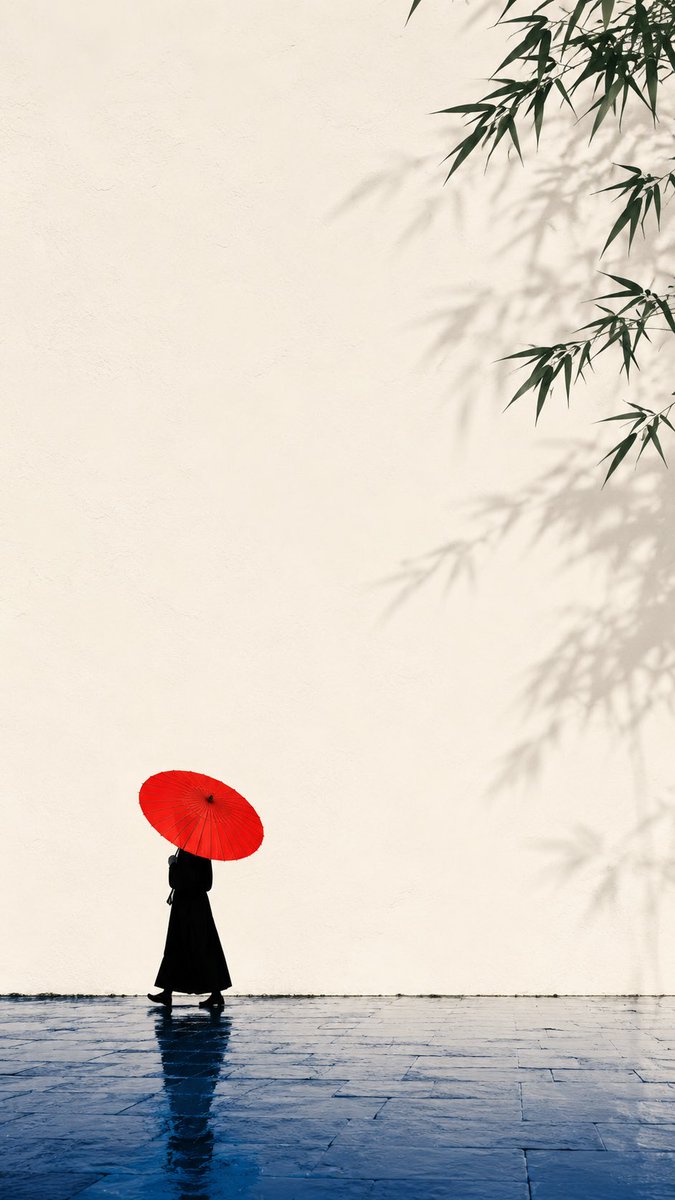
Minimalist poster with Eastern Zen aesthetics
A bright and clean New Chinese minimalist poster featuring a vast warm white wall as negative space. A vivid red oil-paper umbrella serves as the focal point, while a silhouette passes before the wall. Cobalt blue ground reflections and a few ink-green bamboo shadows create a subtle, narrative atmosphere after rain.
Full prompt
主题方向:东方禅意极简海报 风格分支:高对比明亮型 主体内容:一位撑着亮红油纸伞的人物剪影从白墙前经过 情绪母题:雨后、含蓄、静中有故事 场景与意象:暖白墙面、亮红油纸伞、钴蓝雨后地面反光、几道竹影 构图与空间:一角留白构图,人物位于画面下方偏侧,白墙占据大面积空间,地面形成少量蓝色反光 色彩控制:暖白用于墙面和留白,亮红只用于油纸伞,钴蓝用于雨后地面少量反光,墨绿用于极少竹影;避免全图泛红或蓝色过重 光线与质感:雨后自然光,墙面轻肌理,地面微反光,边缘清晰 画幅比例:9:16 补充要求:人物只保留简洁剪影,伞是第一视觉点,画面明亮干净,有新中式封面感
Create with this prompt
Fine-tune the prompt or upload a reference image as needed, click Generate, review the results, and download them promptly.
Open in AI Infinite Canvas(Optional)
Generate image
Please do not close this page while generation is in progress. If you close it, you can check the progress and results in History in the top-right corner.
The red oil-paper umbrella can be replaced with other traditional objects (e.g., lantern, folding fan), and the silhouette can be adjusted in posture or swapped for an animal silhouette. Strictly control the color ratio: warm white should dominate the wall, cobalt blue is only for ground reflections—avoid an overall blue or red cast. The number and placement of bamboo shadows can be fine-tuned; keep edges sharp to maintain a poster-like feel.
How to use
Edit the prompt
Review the prefilled prompt in the creation form. Adjust the subject, scene, colors, or style to suit your idea.
Upload image or change ratio
If the page offers a reference image upload, you can upload an image or leave it empty. Only upload images you have the right to use, and adjust the aspect ratio as needed.
Generate an image
The model is already configured. Click Generate and wait a moment for your result.
Review and download
Review the result and download your image. To try another direction, edit the prompt or reference image and generate again.
FAQ
Is this suitable for beginners?
Yes. The generation model is already configured, so you can edit the prompt and generate directly in the creation form without learning complex settings or canvas controls. Professional users can create in AI Infinite Canvas to organize materials, switch models, and refine their work, with the Canvas Agent helping develop ideas, create content, and adjust workflows.
Are prompts and image generation free?
Prompts are free to view, copy, and edit. Sign up to receive starter credits; image generation uses credits, with usage shown before you generate. You can subscribe or purchase more credits as needed.
Can I switch other AI image models?
Yes. This prompt uses a default, preconfigured model. To switch models, continue creating in AI Infinite Canvas. Oimi AI Studio brings together leading AI image models including GPT-Image-2.6, GPT-Image-2.5, GPT-Image-2, Nano Banana 2.1, Nano Banana Pro, Midjourney V8.2, Niji Journey (NJ), Seedream 5 Pro, and Grok Image, with 1K, 2K, and 4K options depending on the model. You can use these models through OimiTV templates, prompt pages, and AI Infinite Canvas; available models and settings vary by page.
Do I need a reference image, and why might my result differ from the example?
The reference upload is optional in the form. To preserve a particular person, object, or composition, use a reference according to the prompt’s requirements. Results vary with the model, prompt, references, and randomness. Only upload images you have the right to use, and obtain permission when using another person’s likeness.
What happens if image generation fails or errors out?
Credits charged for tasks that fail due to a system error are automatically refunded. Check History for details. Content policy violations are excluded from automatic refunds. Content Policy
How long are my images stored, and are they used for training?
Uploaded photos and generated images are stored temporarily for about a week, during which you can view and download them in History. They are then deleted. Oimi does not use these photos for training, so download any work you want to keep. Privacy policy