 1 / 8
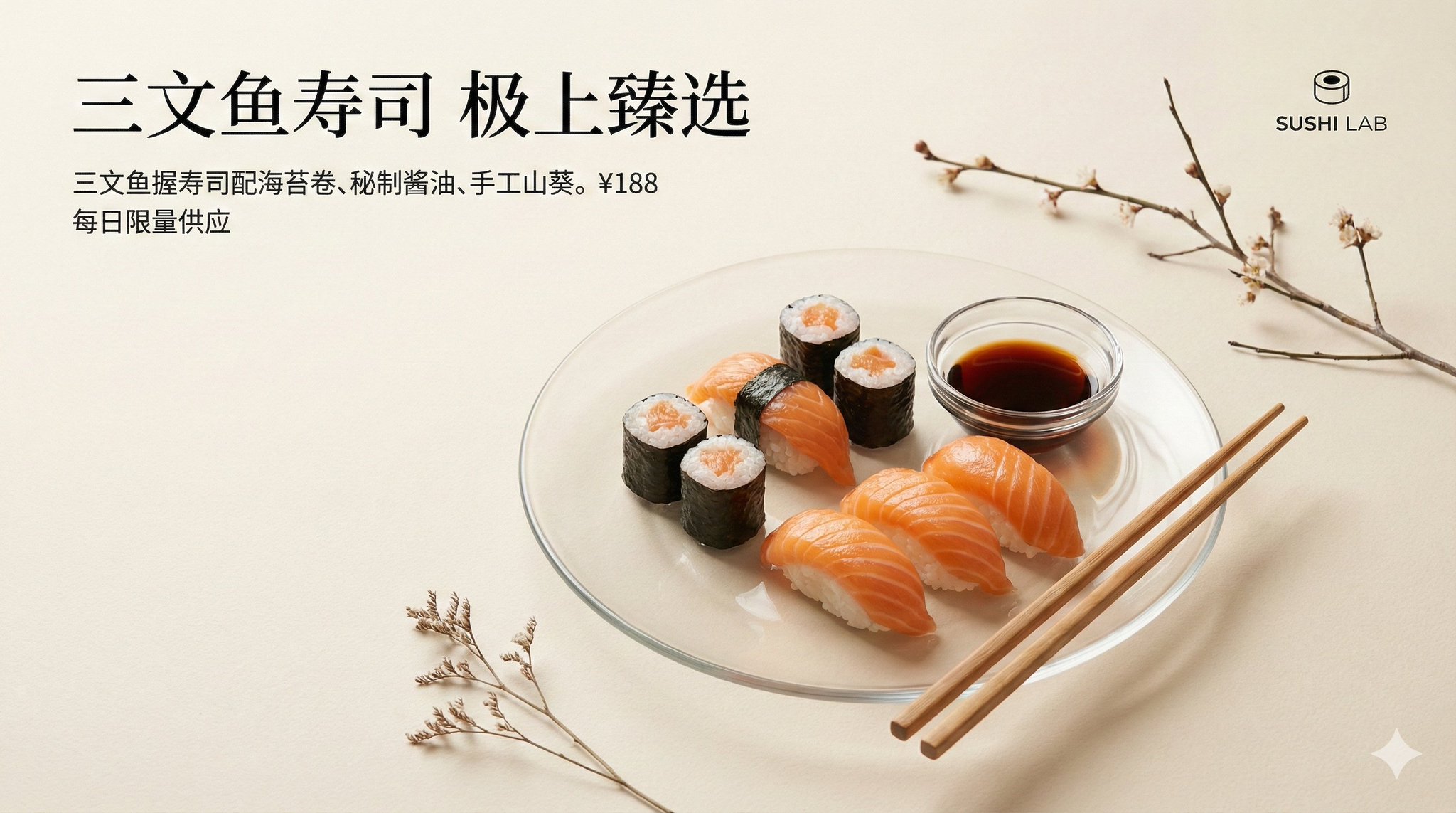
Tempura Editorial Magazine Style Photography
High-angle commercial food photography featuring tempura on a minimalist glass plate with soy sauce and wasabi, overlaid with chic black sans-serif typography on the left and a minimal logo on the top right, lit by soft studio lighting for a luxurious editorial magazine aesthetic.
Full prompt
一张高角度商业美食摄影照片,展示了[天妇罗]盛放在极简风格的透明玻璃盘中,配有一小玻璃碗酱油和一碗芥末。 旁边放着两只筷子,背景为纯净的奶油米白色,留有充足的留白。 左侧叠加了时尚的黑色无衬线字体排版,简单介绍了菜品名称、价格和搭配说明。 右上角有一个极简的小Logo。 采用柔和的摄影棚布光,逼真的柔和阴影,具有时尚杂志的编辑风格。 该设计以优质纸张背景填满整个 16:9 画面,采用大师级平面设计,配有精致的中式排版、极其克制的植物图案和精致优雅的光线,营造出一种空灵、奢华、精致的氛围,具有最大的精致感和考究感
Create with this prompt
Fine-tune the prompt or upload a reference image as needed, click Generate, review the results, and download them promptly.
Open in AI Infinite Canvas(Optional)
Generate image
Please do not close this page while generation is in progress. If you close it, you can check the progress and results in History in the top-right corner.
Replace tempura with other Japanese or Chinese fried dishes; adjust dipping sauces as needed. Background color can be changed to soft tones like light gray or blue. Customize typography with your own dish name, price, and pairing notes. Replace the logo with your brand mark. Maintain a 16:9 ratio for the full layout.
How to use
Edit the prompt
Review the prefilled prompt in the creation form. Adjust the subject, scene, colors, or style to suit your idea.
Upload image or change ratio
If the page offers a reference image upload, you can upload an image or leave it empty. Only upload images you have the right to use, and adjust the aspect ratio as needed.
Generate an image
The model is already configured. Click Generate and wait a moment for your result.
Review and download
Review the result and download your image. To try another direction, edit the prompt or reference image and generate again.
FAQ
Is this suitable for beginners?
Yes. The generation model is already configured, so you can edit the prompt and generate directly in the creation form without learning complex settings or canvas controls. Professional users can create in AI Infinite Canvas to organize materials, switch models, and refine their work, with the Canvas Agent helping develop ideas, create content, and adjust workflows.
Are prompts and image generation free?
Prompts are free to view, copy, and edit. Sign up to receive starter credits; image generation uses credits, with usage shown before you generate. You can subscribe or purchase more credits as needed.
Can I switch other AI image models?
Yes. This prompt uses a default, preconfigured model. To switch models, continue creating in AI Infinite Canvas. Oimi AI Studio brings together leading AI image models including GPT-Image-2.6, GPT-Image-2.5, GPT-Image-2, Nano Banana 2.1, Nano Banana Pro, Midjourney V8.2, Niji Journey (NJ), Seedream 5 Pro, and Grok Image, with 1K, 2K, and 4K options depending on the model. You can use these models through OimiTV templates, prompt pages, and AI Infinite Canvas; available models and settings vary by page.
Do I need a reference image, and why might my result differ from the example?
The reference upload is optional in the form. To preserve a particular person, object, or composition, use a reference according to the prompt’s requirements. Results vary with the model, prompt, references, and randomness. Only upload images you have the right to use, and obtain permission when using another person’s likeness.
What happens if image generation fails or errors out?
Credits charged for tasks that fail due to a system error are automatically refunded. Check History for details. Content policy violations are excluded from automatic refunds. Content Policy
How long are my images stored, and are they used for training?
Uploaded photos and generated images are stored temporarily for about a week, during which you can view and download them in History. They are then deleted. Oimi does not use these photos for training, so download any work you want to keep. Privacy policy