 1 / 10
Gourmet Lettering Art: Country Name
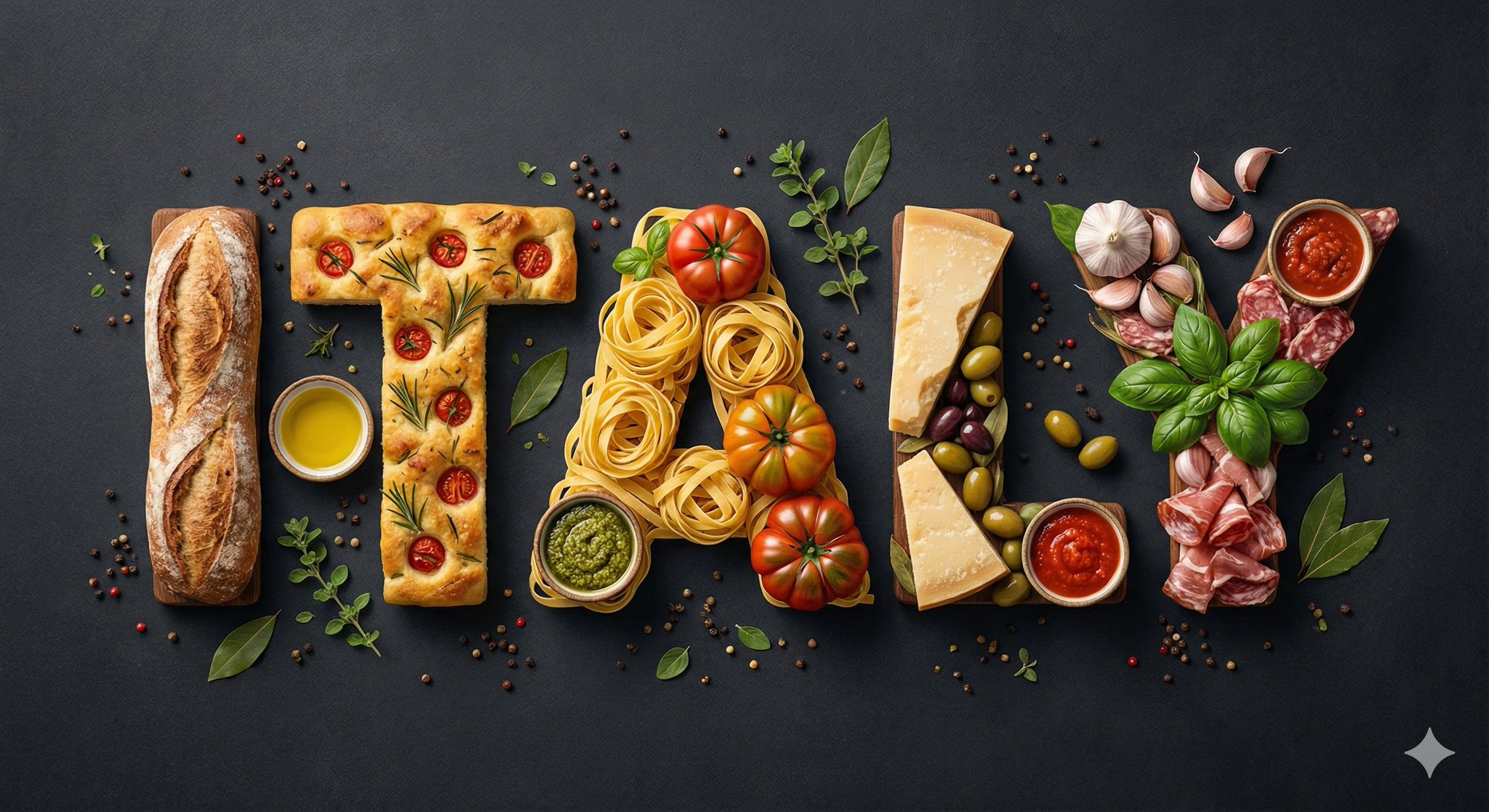
A digital illustration featuring a country's name in sculptural, dimensional typography, with each letter intricately filled with iconic traditional foods and ingredients, set against a dark background with soft lighting for a warm, premium food-photography aesthetic.
Full prompt
A high-quality digital illustration of the word [COUNTRY NAME] spelled in bold, uppercase letters. The typography is sculptural and dimensional, with each letter subtly overlapping or stacked to enhance depth and visual flow. Set against a rich, dark-toned background that complements the palette of the ingredients. Each letter is intricately filled with iconic traditional foods from [COUNTRY], such as [SIGNATURE BREADS / FRUITS / SPICES / DISH ELEMENTS], carefully arranged to follow the contours of the typography. Small bowls of [TRADITIONAL SAUCES / CONDIMENTS] and scattered ingredients are integrated naturally within the composition. The food elements are styled in an art-directed, editorial manner – balanced, textured, and visually rich – with gentle overlaps for realism. Soft, diffused lighting enhances natural textures and depth, creating a warm, appetizing, premium aesthetic. Ultra-detailed, clean composition, food-photography-inspired digital illustration, high contrast, refined visual storytelling.
Create with this prompt
Fine-tune the prompt or upload a reference image as needed, click Generate, review the results, and download them promptly.
Open in AI Infinite Canvas(Optional)
Generate image
Please do not close this page while generation is in progress. If you close it, you can check the progress and results in History in the top-right corner.
Replace [COUNTRY NAME] with a specific country name (e.g., Italy, Japan, Mexico), [SIGNATURE BREADS / FRUITS / SPICES / DISH ELEMENTS] with iconic breads, fruits, spices, or dish components (e.g., croissant, mango, saffron, taco), and [TRADITIONAL SAUCES / CONDIMENTS] with traditional sauces or condiments (e.g., soy sauce, guacamole). Adjust food types and color palettes according to the actual country to maintain visual richness and cultural accuracy.
How to use
Edit the prompt
Review the prefilled prompt in the creation form. Adjust the subject, scene, colors, or style to suit your idea.
Upload image or change ratio
If the page offers a reference image upload, you can upload an image or leave it empty. Only upload images you have the right to use, and adjust the aspect ratio as needed.
Generate an image
The model is already configured. Click Generate and wait a moment for your result.
Review and download
Review the result and download your image. To try another direction, edit the prompt or reference image and generate again.
FAQ
Is this suitable for beginners?
Yes. The generation model is already configured, so you can edit the prompt and generate directly in the creation form without learning complex settings or canvas controls. Professional users can create in AI Infinite Canvas to organize materials, switch models, and refine their work, with the Canvas Agent helping develop ideas, create content, and adjust workflows.
Are prompts and image generation free?
Prompts are free to view, copy, and edit. Sign up to receive starter credits; image generation uses credits, with usage shown before you generate. You can subscribe or purchase more credits as needed.
Can I switch other AI image models?
Yes. This prompt uses a default, preconfigured model. To switch models, continue creating in AI Infinite Canvas. Oimi AI Studio brings together leading AI image models including GPT-Image-2.6, GPT-Image-2.5, GPT-Image-2, Nano Banana 2.1, Nano Banana Pro, Midjourney V8.2, Niji Journey (NJ), Seedream 5 Pro, and Grok Image, with 1K, 2K, and 4K options depending on the model. You can use these models through OimiTV templates, prompt pages, and AI Infinite Canvas; available models and settings vary by page.
Do I need a reference image, and why might my result differ from the example?
The reference upload is optional in the form. To preserve a particular person, object, or composition, use a reference according to the prompt’s requirements. Results vary with the model, prompt, references, and randomness. Only upload images you have the right to use, and obtain permission when using another person’s likeness.
What happens if image generation fails or errors out?
Credits charged for tasks that fail due to a system error are automatically refunded. Check History for details. Content policy violations are excluded from automatic refunds. Content Policy
How long are my images stored, and are they used for training?
Uploaded photos and generated images are stored temporarily for about a week, during which you can view and download them in History. They are then deleted. Oimi does not use these photos for training, so download any work you want to keep. Privacy policy