 1 / 4
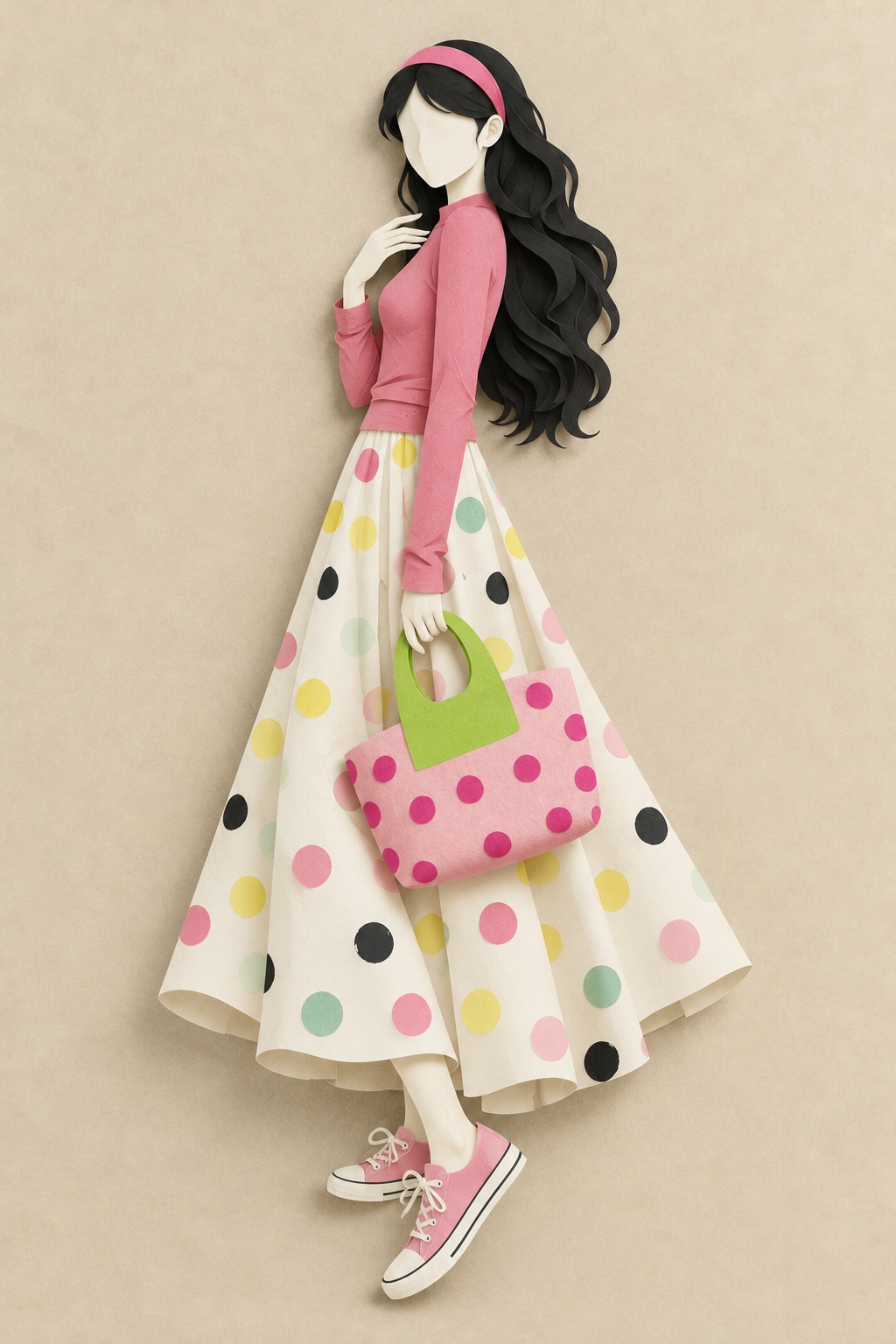
Outfit to Paper Sculpture: Matte Paper Art Portrait
Transforms a reference outfit photo into a 3D paper sculpture, preserving the clothing colors, silhouette, and pose. The figure, hair, and accessories are made of matte colored paper with visible fibers, layered cuts, and curled edges, set against a warm beige background with soft side lighting.
Full prompt
将参考照片中的穿搭转化为立体纸雕风格,保留服装配色、轮廓、配件与姿态。人物、头发、衣服与配件全部由雾面彩色纸张构成,呈现细致纸张纤维、层叠剪纸、清晰折线与自然卷曲的纸边。脸部为象牙白无五官纸面,暖米色纸质背景,柔和侧光与细腻投影。直式 2:3,单人全身,完整保留鞋子,适度留白。移除原场景、手机与口罩,无文字、无浮水印.
Create with this prompt
Fine-tune the prompt or upload a reference image as needed, click Generate, review the results, and download them promptly.
Open in AI Infinite Canvas(Optional)
Generate image
Please do not close this page while generation is in progress. If you close it, you can check the progress and results in History in the top-right corner.
How to use
Edit the prompt
Review the prefilled prompt in the creation form. Adjust the subject, scene, colors, or style to suit your idea.
Upload a reference image and choose an aspect ratio
If the page offers a reference image upload, you can upload an image or leave it empty. Only upload images you have the right to use, and adjust the aspect ratio as needed.
Generate an image
The model is already configured. Click Generate and wait a moment for your result.
Review and download
Review the result and download your image. To try another direction, edit the prompt or reference image and generate again.
Tips
Transform the outfit from the reference photo into a three-dimensional paper sculpture style, preserving the clothing's color scheme, silhouette, accessories, and pose. The person, hair, clothes, and accessories are all constructed from matte colored paper, showcasing fine paper fibers, layered cutouts, crisp fold lines, and naturally curled paper edges. The face is an ivory-white blank paper surface without facial features, set against a warm beige paper background, with soft side lighting and delicate shadows. Vertical 2:3 format, full-body single person, with the shoes fully preserved and appropriate negative space. Remove the original scene, phone, and mask; no text, no watermark.
FAQ
Is this suitable for beginners?
Yes. You do not need specialist AI knowledge or experience with the canvas. Choose a prompt you like, optionally upload a reference image or fine-tune the prompt on this page, and click Generate—the model is already configured. Even first-time users can get started easily.
Are the prompts free?
Yes. These prompts are collected and curated from the public internet and are free to view, copy, use, and adapt. You can also view the original source through the author.
How do I use these prompts?
Copy a prompt into ChatGPT or another tool that supports image generation, or use the creation form on this page. The model is already configured: edit the prompt, optionally upload a reference image, choose an aspect ratio, and click Generate. Results may vary across tools and models.
Is image generation free?
You can try it for free! Sign up to receive free starter credits for image generation. If you enjoy the results, subscribe to a membership or purchase credits for more AI image creation. Credit usage varies by model and settings; check the credit information before generating.
Which AI image models are available?
Oimi includes GPT-Image-2, GPT-Image-2.5, Nano Banana 2.1, Nano Banana Pro, Midjourney V8.2 / V7, Niji Journey (NJ), Seedream 5, Grok Image 2, Wan 2.7, and Z-Image for portraits, product images, posters, illustrations, and image editing. Use multiple models in one place with a shared credit balance, without switching between platforms or paying for separate memberships on each. This page uses a preconfigured model; explore more models in AI Infinite Canvas.
What else can I create with credits?
Oimi is an all-in-one AI creation platform. Credits also support AI text, video, audio, and music creation. Browse curated templates on OimiTV to reuse popular AI workflows, try social media video trends, and turn image ideas into video and music projects.
Are multilingual prompts supported?
Yes! Most AI image models support common languages, including English, French, German, Chinese, Japanese, and Arabic. Describe your idea in the language you are comfortable with. Language understanding varies by model, so results may differ.
Why is this prompt in another language?
The library preserves the original author’s language and wording to keep their creative intent. You can use the original prompt or translate it into a language you are comfortable with before generating. Keep key details such as the subject, composition, and style when translating; the results may differ slightly.
Can I edit this prompt?
Yes. Start with the subject or scene, then refine colors, composition, style, and details. The original prompt remains above for reference and copying. Editing the creation form does not change the original library entry.
Do I need to upload a reference image?
No. Reference images are optional; you can generate from text alone. Models that support reference images show an upload field. Uploaded references are included in generation. Remove the reference to return to text-only generation. Only upload images you have the right to use, and obtain permission when using another person’s likeness.
Why does my result look different from the examples?
Examples illustrate a creative direction. Results depend on the prompt, model, reference images, settings, and randomness during generation. The same prompt can produce different images. To get closer to an example, retain its key style descriptions and change a few details at a time.
Can I use this on my phone?
Yes. Edit the prompt, upload a reference from your photo library, generate, and download directly in the creation form on this page. You do not need to open the canvas or install an app.
What happens if image generation fails or errors out?
If an image generation task fails due to a system error, the credits charged for that task are automatically refunded to your account. You can view the details in History. Content policy violations are excluded from automatic refunds. Content Policy
Will my photos be stored?
Uploaded photos and generated images are stored temporarily for about a week. If you have not downloaded a result or accidentally deleted your local copy, you can find your generations in History and download them again. They are deleted after a week. Privacy policy
Will my photos be used for training?
No. All photos are used only for image generation. Oimi does not use them for training.
As a professional, can I use these prompts in AI Infinite Canvas?
Yes. For professional creators who want to refine and iterate, Oimi’s AI Infinite Canvas offers a flexible creative workspace. Organize your materials, generate, edit, and compare images, then connect them to image-to-video and other workflows—all in one place, without switching between tools. Open the canvas from the creation form, or copy the prompt into AI Infinite Canvas.
Can an Agent help me create?
Yes. Use the Canvas Agent assistant in AI Infinite Canvas. Describe your idea in natural language and let AI help develop your creative direction, create text, or generate images. Continue refining the results with your canvas materials.