
How to Generate the Outstanding Tiny Desk AI Video: Prompt, Template, and Posting Guide
Quick answer: The Outstanding Tiny Desk AI video puts new faces — yours, your friends', your pet's — into the final 19 seconds of Charlie Wilson's 2023 NPR Tiny Desk performance of "Outstanding," where a soulful lead singer laughs mid-line and hands the song to a sax solo. The fastest way to make one is a photo-to-video workflow: upload one clear, front-facing portrait into a ready-made Tiny Desk template, and generate a vertical clip at any length from 5 to 15 seconds — keep it at 15 and the whole joke fits: the band sway, the lead's laugh, and the sax solo, with more room than the 8-to-10-second outputs most one-photo tools produce. The clip comes with its own funk-soul track, so it is ready to post as-is — no audio setup needed. A render takes about two minutes.
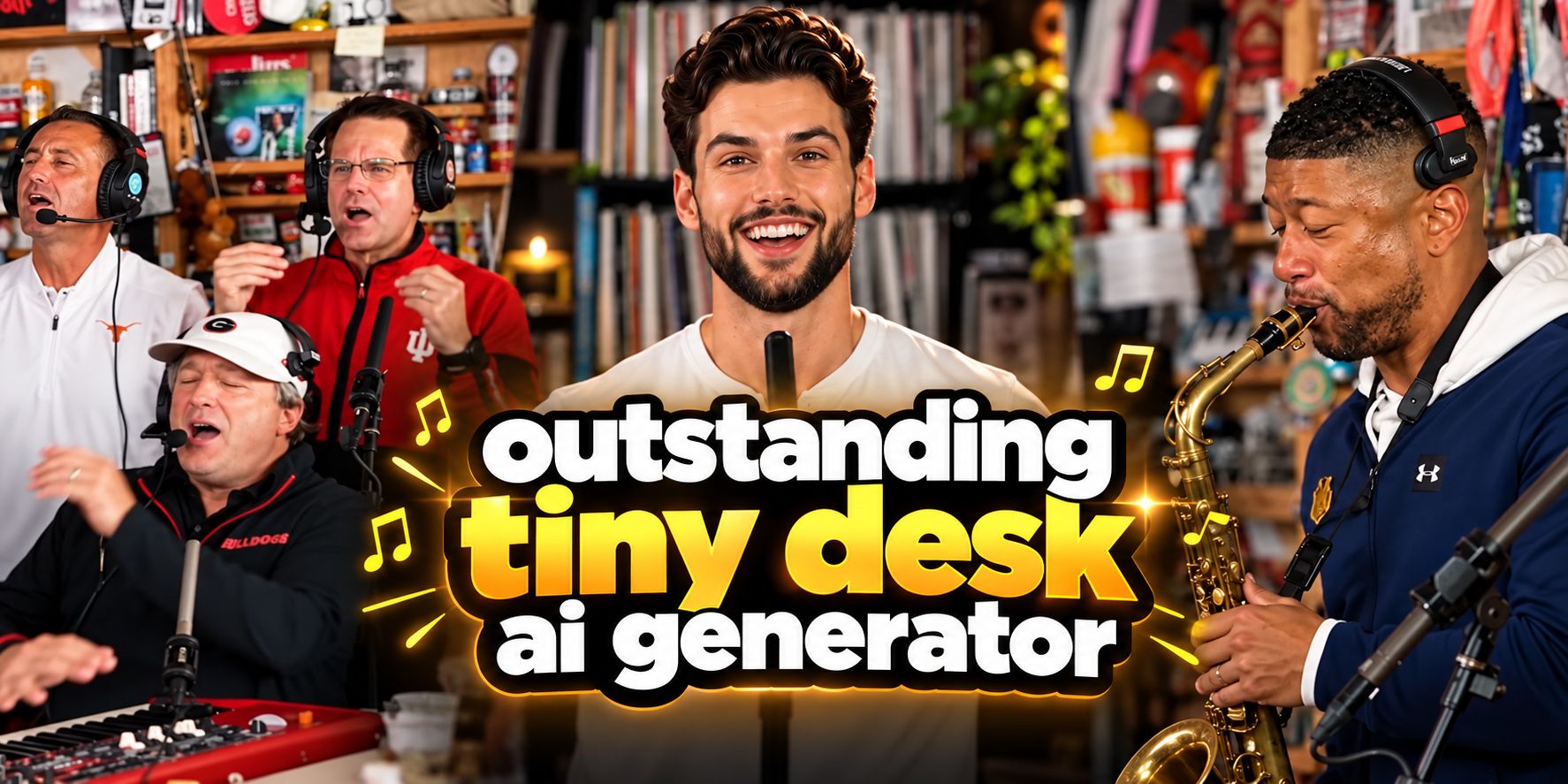
What the Outstanding Tiny Desk meme actually is
The performance underneath the meme is real. On June 5, 2023, NPR Music published Charlie Wilson's Tiny Desk concert, closing with "Outstanding" — the 1982 Gap Band hit he originally sang lead on. The last stretch of that set is what everything copies: the band sways behind him, the lead grins through a high note, breaks into a big laugh, and the camera cuts to the saxophonist.
The joke arrived on October 18, 2026, when a TikTok creator posted the "College Football's Week 8 All-Loss Tiny Desk Concert": AI placed the head coaches of five teams that had just lost — Alabama, Georgia, Texas, Indiana, and Notre Dame among them — into the band. A victory song sung by coaches one day after a crushing weekend is the entire punchline. The clip passed 2.3 million views within a week.
From there the format outran its original joke:
- October 23–24, 2026 — sports accounts posted NFL versions (the biggest passed 1.8 million views), and one-photo "outstanding tiny desk set" templates started circulating on template platforms.
- Late October 2026 — the White House posted its own version ahead of the midterms, and people began putting friends, coworkers, group chats, and pets at the mic.
- October 26 onward — Google searches for the trend surged to record highs.
Knowing the origin matters for making a good one: the meme is not "a person singing at a desk." It is a specific five-shot edit with a specific emotional arc, and every version that works respects that structure.
The anatomy of the original: five shots in 19 seconds
The viral clip is vertical, 19 seconds, and keeps five shots from the original concert. If you understand this timeline, you can judge any AI output — or write a prompt that actually produces the meme instead of a generic concert video:
| Shot | Time | What happens |
|---|---|---|
| 1 | 0–1.4s | The lead opens a line, seen from the side |
| 2 | 1.4–6.7s | The band: keyboard in front, two backing singers behind, all swaying |
| 3 | 6.7–13.0s | The big laugh close-up — the lead breaks mid-line and laughs |
| 4 | 13.0–16.4s | The sax solo — the camera hands the song to the sax player |
| 5 | 16.4–19.1s | Back to the band for the final chorus, fist up |
That 19-second cut is the original meme, recut from real broadcast footage. AI versions do not reuse NPR's video — they regenerate a desk concert of their own around your photo, so every tool compresses the arc into its own runtime. Most one-photo tools make 8 to 10 seconds, which forces the joke to drop a beat: at 8 seconds you usually get the laugh without the sax solo, and the payoff disappears.
The Oimi template compresses the same arc into 15 seconds and three beats, which is enough to keep all five story beats in order:
| Template beat | Time | Maps to the original |
|---|---|---|
| 1. The band sways together | 0–5s | Shots 1–2: the opening line and the group frame |
| 2. The lead's close-up with a broad smile | 5–11s | Shot 3: the big laugh that carries the middle |
| 3. The sax solo, then back to the band | 12–15s | Shots 4–5: the handoff payoff and the fist up |
Two details carry most of the comedy, and both are where generic prompts fail:
- The laugh, not the singing. The lead's expression moves from a sung phrase to an unplanned grin to a full head-back laugh. A prompt that asks for one fixed "happy" expression kills the joke.
- The sax handoff. The sax solo is a payoff shot — a different person takes over the musical phrase. Versions that skip it feel incomplete.
Three ways to make your own
There are three practical routes, ordered by effort:
1. One-photo template (fastest). A pre-built workflow where the reference choreography, the timestamped prompt, and the vertical format are already configured — you upload one portrait and generate. This is the route most people posting the meme actually take: search interest in "outstanding tiny desk ai template" spiked alongside the meme itself. The Outstanding Tiny Desk AI template on Oimi is a four-node canvas workflow: your portrait links to a pre-loaded Tiny Desk reference video, and a Seedance 2.0 video node renders 5 to 15 seconds in 9:16 (480p by default, 720p available) with a funk-soul performance track generated alongside the picture. The rest of this guide walks through it.
2. DIY video-edit mode. If you have access to a video model with a reference-video input (Seedance 2.0's edit mode is the current favorite for this), you can drive it yourself: feed the viral clip as the motion reference, swap the lead with your photo, and keep everything else the same. Practitioners who tested this route across dozens of renders landed on two rules worth stealing: use the viral vertical clip as the reference (not NPR's 16:9 footage), and never mention the mouth in the prompt — models over-animate lips when you do, and the lip-sync falls apart.
3. Full generation from scratch. Write the whole desk-concert scene from a text prompt with no reference video. This gives you the most freedom (your own band, your own room) but the least resemblance to the actual meme — no shared shot structure, and the song has to be added in editing.
For most people the template route wins: the meme's value is in matching a structure everyone recognizes, and a template bakes that structure in.
How to make it with the Oimi template, step by step
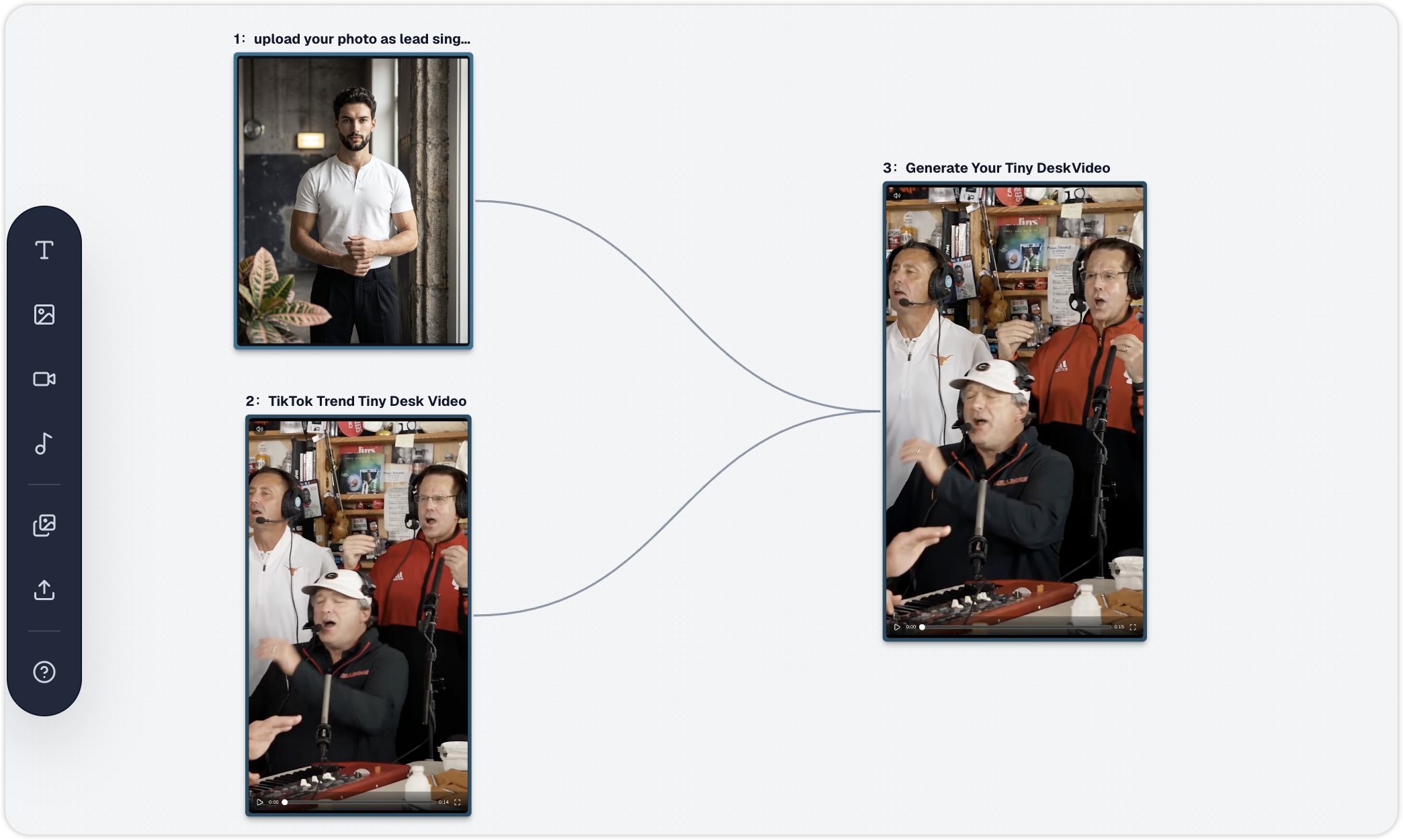
Open the Outstanding Tiny Desk AI template and you get a four-node canvas workflow powered by Seedance 2.0, pre-set to vertical 9:16 with the duration adjustable from 5 to 15 seconds — set it to 15 and the three-beat structure from the table above runs intact. Three steps:
Step 1 — Upload your photo as the lead singer. One clear, front-facing portrait with even lighting. Your face maps onto the lead singer close-up, so anything that hides the face (sunglasses, heavy shadows, extreme angles) degrades the result. Only use photos of yourself or of people who agreed to it.
Step 2 — Check the reference clip and the prompt. The template ships with a TikTok Trend Tiny Desk Video reference carrying the funk-soul rhythm and camera movement, and a prompt in the generation node already structured by timestamp: 0–5s the group sways together, 5–11s the lead singer's close-up with a broad smile, 12–15s the saxophone solo. Keep it as-is for the classic version, or customize it: edit the text in that node to change outfits, instruments, room details, or the band members' descriptions, and connect extra reference images on the canvas if you want a specific friend on the sax or a particular keyboard player — each reference image drives one role. The duration slider runs from 5 to 15 seconds; below 10 you will have to drop a beat, so decide which one you can lose.
Step 3 — Generate and download. Hit Generate on the video node and wait about two minutes for Seedance 2.0 to render the clip with synchronized movement and studio lighting — 480p by default, switch to 720p in the canvas controls before generating if you want a sharper upload. Download the 9:16 MP4 and post it to TikTok, Reels, or Shorts. The generation produces its own funk-soul performance audio, so the clip is complete as downloaded — no external music or editing required. If you want the algorithm boost of the original sound, you can still mute it and select the trending "Outstanding" Tiny Desk sound inside TikTok, but that is optional.
A copy-paste prompt, and how to customize it
The template's pre-loaded prompt already uses this structure; if you want to edit it in the generation node (or run it through a video model by hand), keep the timestamp layout — it is what forces the model through the three-beat arc. A version aligned with the template's 15-second runtime:
Use the uploaded portrait as the lead singer in an intimate desk-side concert, in the style of a small office studio with packed bookshelves, a red keyboard, and warm amber lamps. 0–5s: the band sways together — the lead at the mic in front, keyboard and backing singers behind. 5–11s: close-up on the lead, who sings a line with a broad smile, then breaks into an unplanned, head-back laugh. 12–15s: the camera cuts to the saxophonist, who takes the solo, then back to the band with the lead's fist in the air. Handheld documentary camera, warm studio lighting, natural performance motion, realistic hands, consistent facial identity, vertical 9:16. No logos, no text overlays.
Customization rules that hold up:
- Describe the laugh as a progression ("sings, then breaks into a laugh"), never as a static expression.
- Give the sax player one readable action and let the camera go to them for the solo — do not ask every band member to perform at once.
- One face per role. If you want a friend in the band, that is a second reference image and its own shot — not five faces in one image.
- Leave the mouth alone. Ask for the singing and the laugh; do not instruct lip movements syllable by syllable. This is the single most common failure across every model tested publicly on this trend.
- If you shorten below 10 seconds, cut the opening, not the payoff. A 5-to-8-second version still works if it goes straight from the sway into the laugh — but dropping the sax solo removes the moment people quote, which is why most one-photo tools' 8-second defaults feel incomplete.
The photo matters more than the prompt
The meme's close-up is unforgiving. What works:
- Front-facing, waist-up or chest-up, face toward the camera, in good light
- One prominent face per image — group photos split badly
- No sunglasses, masks, or heavy side profiles
What people forget: the expression range in the source photo sets what the model can do. A photo where the person is already smiling gives the model somewhere to go for the laugh; a deadpan passport photo tends to produce stiff results. And yes — pets work, and they are usually the funniest version: a cat at the mic mid-yowl reads exactly like the meme's big-note close-up.
Posting it so the right people see it
The meme has conventions, and following them measurably helps:
- Audio: two options, both work. The clip ships with its own funk-soul track and can be posted as-is. If you prefer the original, mute it and use the official "Outstanding" sound in TikTok — start it on the last chorus so the high note lands on your close-up.
- Caption in the meme's format: "My group chat's All-Loss Tiny Desk Concert," "The office band nobody asked for." The caption supplies your version's punchline, the way losing coaches supplied the original's.
- Tag the friend on the sax. The sax solo is the most-quoted moment; tagging whoever plays it invites the duet.
- Hashtags: #tinydesk and #tinydeskconcert put the clip in front of the format's existing audience.
One rule to keep the fun clean: make original versions. Don't pass AI output off as real NPR footage, don't use photos of people who didn't agree, and don't build your version around mocking a specific real person — the original joke worked because it punched at teams, not because it doctored anyone's face.
FAQ
What is the Outstanding Tiny Desk AI meme?
It is an AI video format that puts new faces into the closing stretch of Charlie Wilson's June 2023 NPR Tiny Desk performance of the Gap Band's "Outstanding." It started on October 18, 2026, when a TikTok creator cast five college football coaches whose teams had just lost, and it spread through NFL versions, office groups, friend bands, and pets. The structure everyone recognizes: band sway, lead's big laugh, sax solo, fist up.
How do I make an Outstanding Tiny Desk AI video with my own photo?
Upload one clear, front-facing portrait to a photo-to-video workflow like the Outstanding Tiny Desk AI template, generate the 15-second vertical clip, and post it with the official "Outstanding" sound in TikTok. No video editing experience is needed — the choreography and prompt are pre-configured.
What song is the Tiny Desk meme using?
"Outstanding" by The Gap Band (1982), as performed by former Gap Band lead singer Charlie Wilson to close his NPR Tiny Desk concert on June 5, 2023. The meme uses roughly the last 19 seconds of the performance. AI-generated versions create their own funk-soul sound — add the official song as the TikTok sound when posting.
What photo works best for the lead singer?
A front-facing, well-lit photo from the chest up with one prominent face and a natural smile. Avoid sunglasses, masks, extreme angles, and group photos. If you want friends in the band, each person is their own reference image and their own shot.
Is it okay to post? Who owns what?
The meme's convention is original AI versions, not edits of NPR's actual footage: NPR owns the concert recording, the song is a commercial recording, and real people's faces need their consent. Make your version from photos you have the right to use, label it as AI, add the licensed sound inside TikTok, and don't imply anyone actually performed it — that keeps you on the right side of both the platform and the joke.
Keep reading
Two places to start, both ready to use:
- Curated prompt library — the full prompt collection, sorted by model and use case, ready to copy and run
- Curated workflow templates — the most-used AI workflow templates for image, video, and mixed pipelines, including this one
And the reading that goes with this piece:
- Trending 80s Prompt for ChatGPT: Copy-Paste Styles That Still Work (2026) — when a retro trend goes through an AI format, this is how the prompt side works
- Window Peeper AI Video Generator: Swap Any Photo into a Meme — the same one-photo-to-meme formula applied to another trending format, ready to run
Sources
- Charlie Wilson: Tiny Desk Concert — NPR — the original June 2023 performance the meme copies, with the full set list
- White House shares AI Tiny Desk concert — The Mirror — the political version and the dates of the meme's spread