
Google Launches Nano Banana 2 Lite: Faster, Cheaper AI Images
Nano Banana 2 Lite is Google's fast, lower-cost Gemini image model for rapid image generation and editing. The developer model name is gemini-3.1-flash-lite-image, and Google positions it as the fastest and most economical model in the Nano Banana image family.
The practical takeaway is not just that another image model launched. Nano Banana 2 Lite is built for the part of image creation where speed matters most: drafting, comparing, editing, and trying many visual directions before choosing the final one.
Quick facts
- Product name: Nano Banana 2 Lite
- API model:
gemini-3.1-flash-lite-image - Family: Gemini Image / Nano Banana
- Best for: low-latency drafts, high-volume image generation, fast prompt exploration, and app workflows
- Official positioning: fastest and most cost-efficient Nano Banana image model
What Is Nano Banana 2 Lite?
Nano Banana 2 Lite is a Gemini image model from Google DeepMind. It supports text-to-image generation and image editing, while focusing on low latency and lower cost compared with heavier image models.
That makes it a strong fit for an AI canvas workflow. Instead of generating one final image at a time, you can create several draft directions, place them side by side, keep the strongest result, and continue editing from there.
Why Nano Banana 2 Lite Matters
Most image model comparisons focus on the single best output. In daily creative work, the first output is rarely the final one. You may need to adjust the lighting, remove a background, fix a product angle, change a character pose, test a poster layout, or make several social variants.
Nano Banana 2 Lite matters because it is designed for that iteration loop. A faster model lets creators test more ideas while the context is still fresh. It is also useful for developers building image products where every extra second of generation time changes the user experience.
Nano Banana 2 Lite vs Nano Banana 2 vs Nano Banana Pro
Nano Banana 2 Lite, Nano Banana 2, and Nano Banana Pro are three models in the same Nano Banana image model family. Lite is the speed-and-cost choice, Nano Banana 2 is the balanced default, and Pro is the stronger option for complex professional image tasks.
| Model | Latency | Cost | Visual Quality | Reasoning | Best For |
|---|---|---|---|---|---|
| Nano Banana 2 LiteGemini 3.1 Flash-Lite Image | Low | Low | Medium | Low | Fast drafts, high-volume generation, low-latency apps |
| Nano Banana 2Gemini 3.1 Flash Image | Medium | Medium | High | Medium | Balanced image generation and editing |
| Nano Banana ProGemini 3 Pro Image | High | High | High | High | Complex professional image tasks |
A simple workflow is to start with Nano Banana 2 Lite for exploration, move to Nano Banana 2 when you need stronger output quality, and use Nano Banana Pro when the image requires the most precision or final polish.
Best Use Cases
Nano Banana 2 Lite is most useful when the value comes from generating and comparing many options quickly.
- Product visuals: ecommerce drafts, hero images, catalog angles, lifestyle backgrounds.
- Social content: thumbnails, post covers, ad variations, meme-style creative tests.
- Character exploration: outfits, poses, environments, and style directions.
- Design ideation: posters, moodboards, editorial graphics, campaign concepts.
- Image editing: background changes, lighting adjustments, color variants, object edits.
Open Nano Banana 2 Lite in Oimi Canvas
Generate fast image drafts, compare variations, and keep editing without leaving the board.
Try in Canvas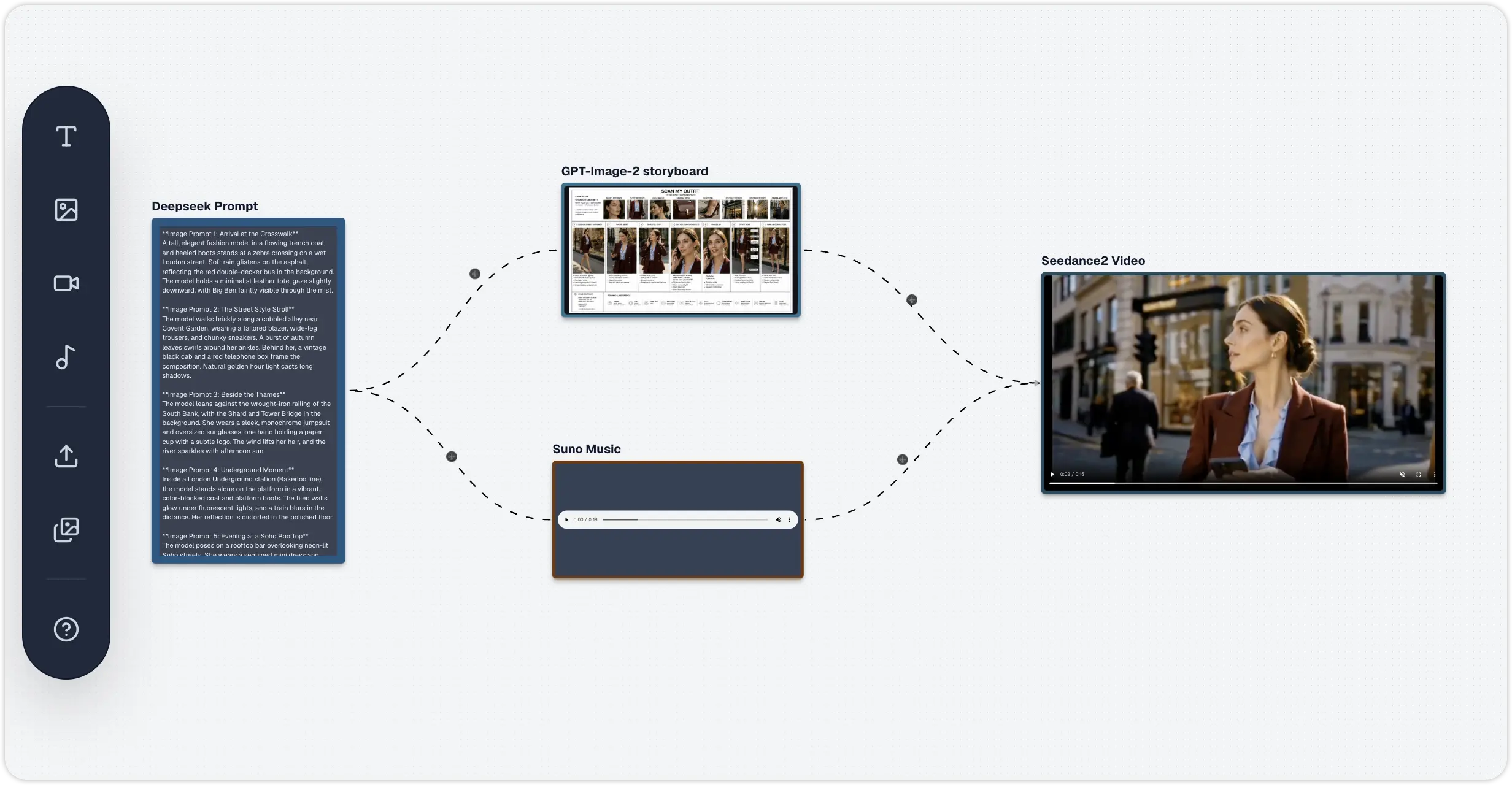
Prompt Checklist for Better Results
Nano Banana 2 Lite works best when your prompt gives the model enough visual direction without overloading it with conflicting instructions. Before generating, check that your prompt includes:
- Subject: the main object, person, product, or scene.
- Style: realistic photo, 3D render, editorial, illustration, cinematic, minimal.
- Composition: close-up, wide shot, top-down, centered, split layout, poster frame.
- Lighting: softbox, daylight, golden hour, neon, studio lighting.
- Use case: ad banner, product page, social post, blog hero, thumbnail.
- Constraints: no extra text, keep label readable, preserve product shape, clean background.
Limitations to Watch
Faster image generation still needs review. Google's model documentation notes that generated images can still have issues around fine details, text accuracy, factual content, small faces, complex edits, and image blending. For product, brand, educational, or ad work, inspect the result before publishing.
The safest pattern is to change one major variable at a time. If you want the same product with a new background, say what should change and what must stay unchanged.
Bottom Line
Nano Banana 2 Lite is best understood as the fast drafting model in Google's Nano Banana image stack. It is not only for making one image. It is for getting through the messy but valuable part of creative work: trying ideas, comparing options, and refining the direction.
If you want to feel the difference, open Nano Banana 2 Lite in Oimi Canvas, generate a few image directions, and keep the best version on the board for further editing.
Frequently Asked Questions
What is Nano Banana 2 Lite?
Nano Banana 2 Lite is Google's fast, lower-cost Gemini image generation and editing model. Its developer model name is gemini-3.1-flash-lite-image, and it is designed for rapid drafts, high-volume image workflows, and low-latency creative apps.
What is the Nano Banana 2 Lite model ID?
The official developer model ID is gemini-3.1-flash-lite-image. Nano Banana 2 Lite is the product name used for the fast, cost-efficient Gemini Image model in the Nano Banana family.
Is Nano Banana 2 Lite better than Nano Banana 2?
Nano Banana 2 Lite is better for speed, lower cost, and high-volume draft generation. Nano Banana 2 is a stronger general-purpose choice when you need a broader balance of quality, flexibility, and capability.
Can Nano Banana 2 Lite edit existing images?
Yes. Nano Banana 2 Lite supports image generation and editing. It is useful for changes such as backgrounds, lighting, colors, object details, product variations, and fast creative iterations.
Where can I try Nano Banana 2 Lite?
You can try Nano Banana 2 Lite through supported Google developer surfaces and in Oimi Canvas, where you can generate fast image drafts, compare variations, and keep editing the strongest result on the same board.
Sources: Google announcement, Gemini API image generation docs, and Google DeepMind model page.