
MOSS-Image ComfyUI Guide: Run the Open-Source Text-to-Image Model
On October 16, 2026, OpenMOSS — the Fudan University lab behind the MOSS language model, working with the Shanghai Innovation Institution and MOSI Intelligence — released MOSS-Image, a 5B-parameter text-to-image model with Apache-2.0 weights and ComfyUI support on day one. Two things make it worth the download: it renders long text inside images about as well as the best closed models, and it accepts layout as structured JSON instead of a paragraph of hope. The first is an incremental win. The second changes what a prompt can be.
Quick answer: to run MOSS-Image in ComfyUI, open ComfyUI Manager, search MOSS-Image, and install the native plugin — or load the Comfy-Org single-file checkpoint with a standard checkpoint loader. Use the SFT checkpoint for generation, keep the sampler at Flow-matching Euler with 50 steps, CFG 3, shift 5, and a negative-branch skip at layer 22. If your graphics card is short on memory, switch the pipeline to Sequential mode or generate at a smaller size.
Want to compare the world's top image models in one place? Oimi AI Studio Canvas puts GPT Image 2.5, Nano Banana 2.1, Seedream 5.0 Pro and 30+ more image and video models in a single workspace — one prompt, output from every model, free to start. It is the quickest way to find out whether a layout prompt is worth rendering locally at all.
What shipped on October 16
| Release date | October 16, 2026 |
| Team | OpenMOSS (Fudan University NLP lab, Shanghai Innovation Institution, MOSI Intelligence) |
| Checkpoints | MOSS-Image-Base (base model) and MOSS-Image-SFT (fine-tuned on curated data) |
| Architecture | 5B single-stream diffusion transformer, frozen Qwen3.5-9B text encoder, FLUX.2 VAE |
| Prompt length | Up to 4K tokens |
| Layout input | Native — structured JSON with bounding boxes |
| License | Apache 2.0 (weights and pipeline code; third-party components keep their own terms) |
| Day-0 support | ComfyUI, SGLang, vLLM-Omni, Diffusers |
| Training data | Roughly 3 billion deduplicated images, deliberately unfiltered |
The architecture detail worth pausing on: the text encoder is nearly twice the size of the image backbone. That is not an accident. Text rendering and layout are understanding problems before they are drawing problems, and a drawing backbone that cannot parse a long caption will not place a headline where you asked.
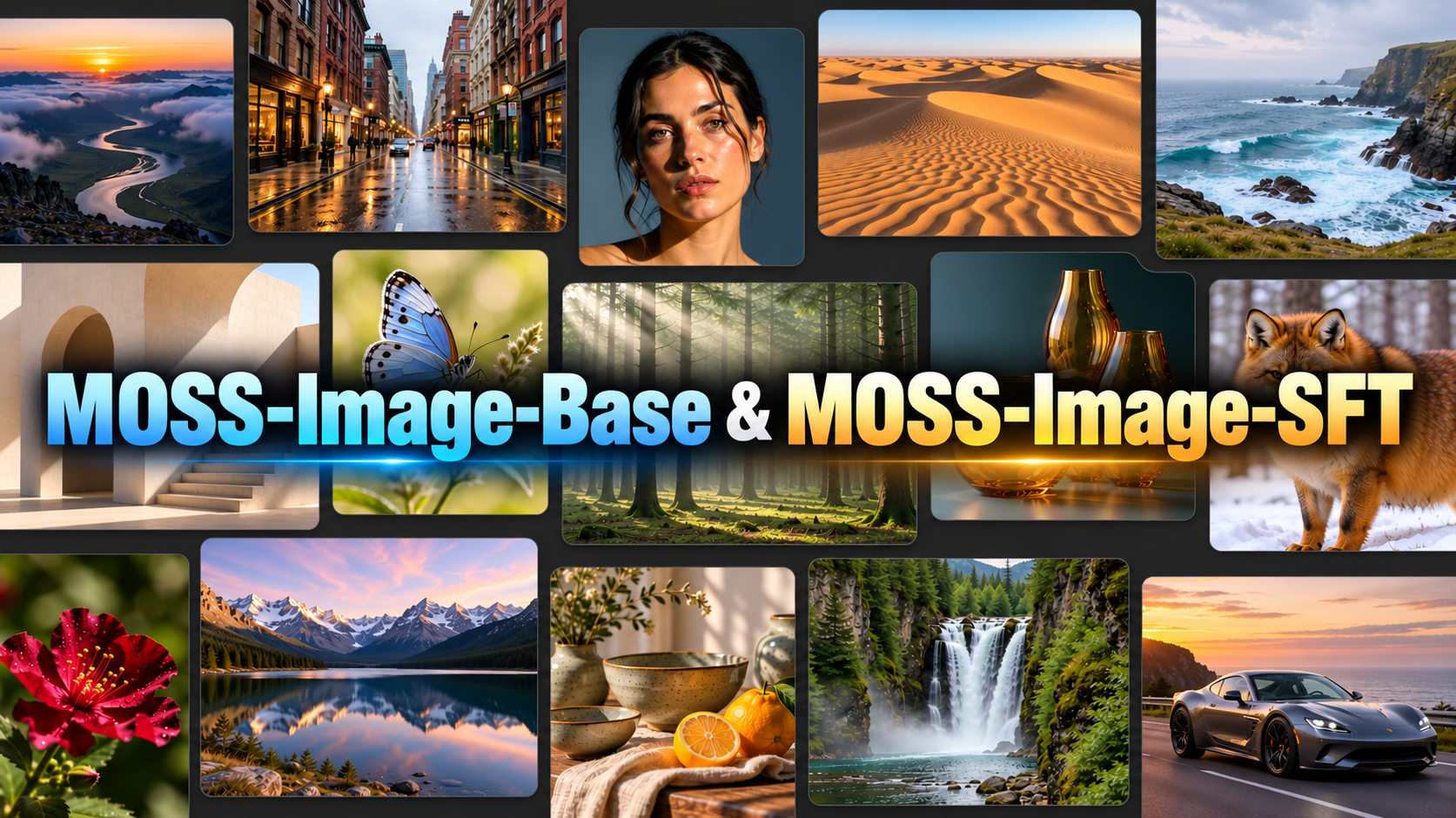
Two features, and only one of them is new to the field
Layout as data, not description
Every image model accepts "put the title in the top left." Almost none of them mean it. MOSS-Image takes the same instruction as JSON: a scene caption plus a list of items, each with a label, a description, optional text to render, and a bounding box.
{
  "summary": {
    "meta": ["poster"],
    "canvas": "single",
    "caption": "A minimalist travel poster with a cream background, a blue mountain illustration, and the title EXPLORE at the top."
  },
  "items": [
    {
      "label": "text",
      "caption": "Large dark-blue uppercase title centered at the top.",
      "text": "EXPLORE",
      "bbox": [-416, -384, -288, 384]
    },
    {
      "label": "object",
      "caption": "A flat blue mountain illustration in the lower center.",
      "bbox": [-192, -288, 384, 288]
    }
  ],
  "bbox_coord_space": "abs_centralized",
  "bbox_format": "yxyx"
}
Almost everyone gets the coordinate convention wrong on the first attempt, so it is worth stating plainly: bbox_format: "yxyx" means [y_min, x_min, y_max, x_max], and abs_centralized measures from the centre of the canvas. On a 1024×1024 canvas each axis runs from −512 to +512, x increasing to the right and y increasing downward. Convert from ordinary pixel coordinates by subtracting width/2 and height/2.
That structure is the actual pitch. Boxes can be generated by a script, which makes composition reproducible and batchable — an infographic template that stays on brand across a thousand variants, rather than a thousand rolls of the dice. Editing follows the same logic: change the text or move a box, and the composition is re-rendered in a way you can actually specify.
Text rendering that mostly holds up
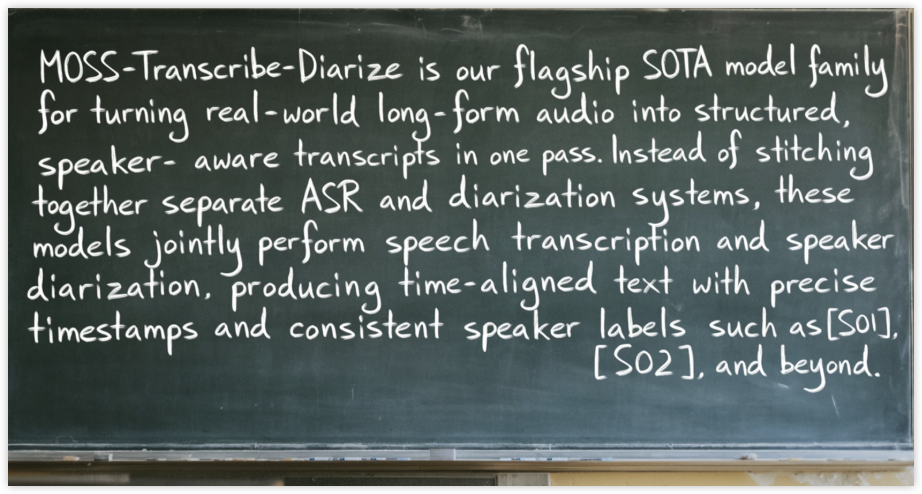
OpenMOSS published its own benchmark, LongLongTextBench, arguing that the existing LongTextBench had saturated on targets of roughly 120 characters. The new set averages 1,339.8 characters per target — about eleven times longer. Their table:
| Model | LongLongTextBench |
|---|---|
| GPT Image 2 | 99.0 |
| Nano Banana Pro | 96.6 |
| MOSS-Image | 96.3 |
| Qwen Image 3.0 Pro | 94.3 |
| Qwen Image 2512 | 64.9 |
| FLUX.2 | 11.8 |
Read that honestly: 96.3 is the best score among models you can download, not the best score overall, and the benchmark is the team's own construction on material they chose. Two closed systems still sit above it. On layout control (7Bench) MOSS-Image leads everything tested at 0.88 mIoU against a next-best 0.44 — and on the blind, human-rated design comparisons in RealLayoutArena it ranks second overall, first among image backbones when prompts are held equal.
The FLUX.2 number is the one that reframes the release: long-text rendering was not a slightly unsolved problem in open models, it was a mostly unsolved one.
How to run MOSS-Image in ComfyUI
1. Install the plugin. Update ComfyUI and open ComfyUI Manager, search MOSS-Image, and install. The repository ships a native plugin; core-repository integration is still in progress, so the Manager path is the current supported route.
2. Or use the single-file checkpoint. Comfy-Org packages MOSS-Image-Base as a standard single-file diffusion checkpoint that loads through the ordinary checkpoint loader, with no custom nodes and no conversion step — the same treatment FLUX, SD3.5, and Qwen-Image received.
3. Load the example workflow. The plugin ships moss-image.json under comfyui/moss-image/example_workflows/. Start from it rather than wiring nodes from scratch; the layer-skip setting in particular is easy to lose.
4. Use these sampling settings. Flow-matching Euler, 50 steps, CFG 3.0, shift 5, negative-branch skipping at layer 22, and an empty negative prompt. These are the numbers OpenMOSS recommends for the shared Diffusers pipeline, and they carry over to the ComfyUI graph.
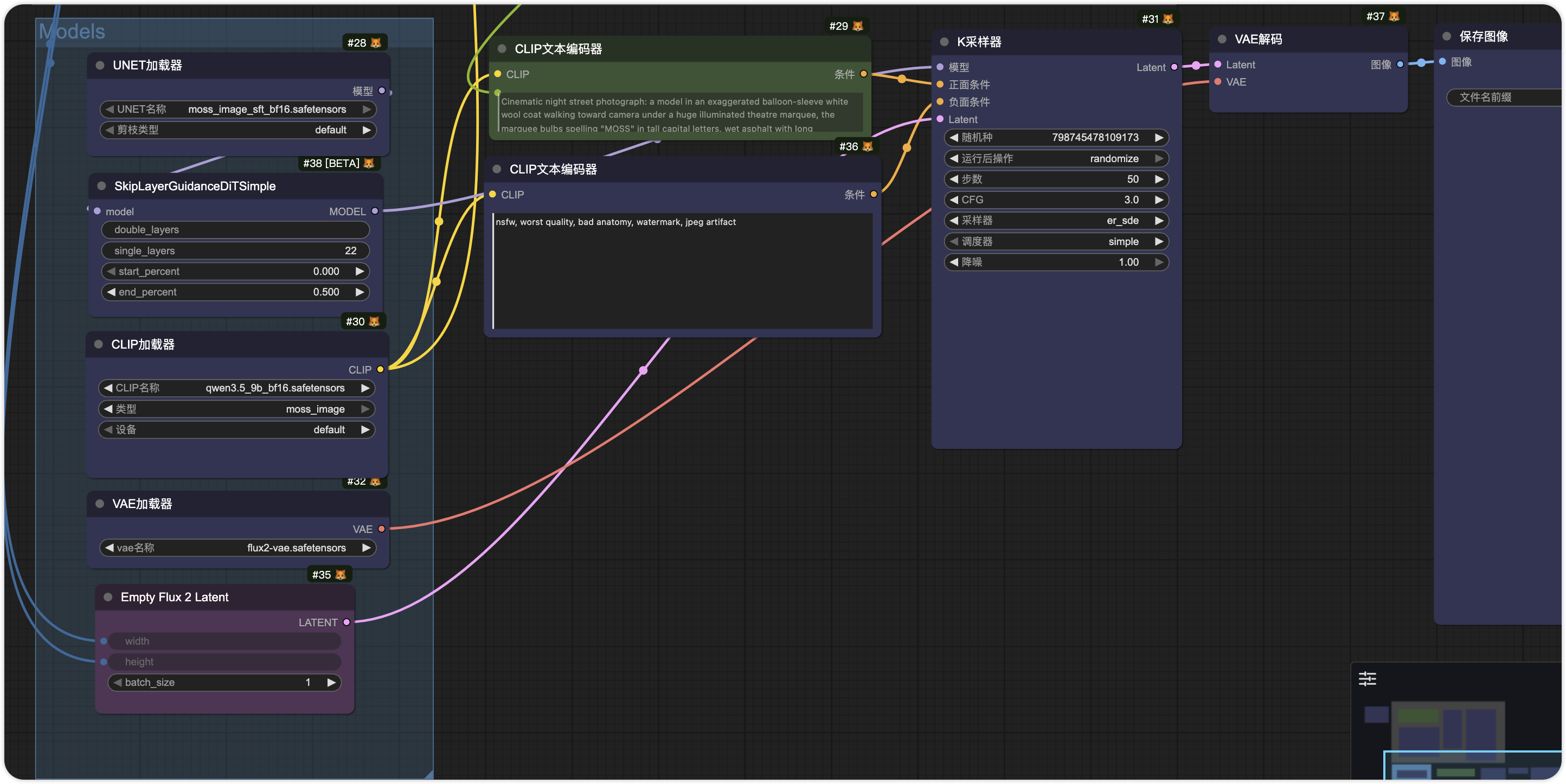
5. Pick Base or SFT. For generating images, use SFT — the fine-tuned checkpoint produces tighter text grouping and cleaner multi-element layouts. Base exists so you can train on it, not because it makes prettier posters.
6. Plan for memory. Download size is not VRAM. The Base repository is listed at 27.2 GB, while the Comfy-Org packaging runs to 48.6 GB because it bundles several variants and alternative text encoders — take only what you need. OpenMOSS does not publish a minimum VRAM figure; it offers GPU-resident, Component, and Sequential memory modes, and community reports put successful runs on 12GB cards with Sequential loading or a reduced canvas.
7. Fine-tune if you want to. DiffSynth-Studio added full fine-tuning and LoRA training support for both checkpoints on October 20, four days after release.
On a modest machine, or never opened ComfyUI before? The seven steps above are not hard in themselves — the hard part is the environment: a node that installs and never appears, a workflow that loads with missing nodes, a card that runs out of memory halfway through sampling, a version mismatch that fills the console with red. If the goal is the image rather than the rig, skip the setup and go straight to Oimi AI Studio Canvas — nothing to install, no nodes to wire, 30+ image and video models that are ready the moment the tab opens — no VRAM ceiling, no compile wait, free to start.
What the first week of users found
The early testing is unusually consistent about both the strengths and the edges:
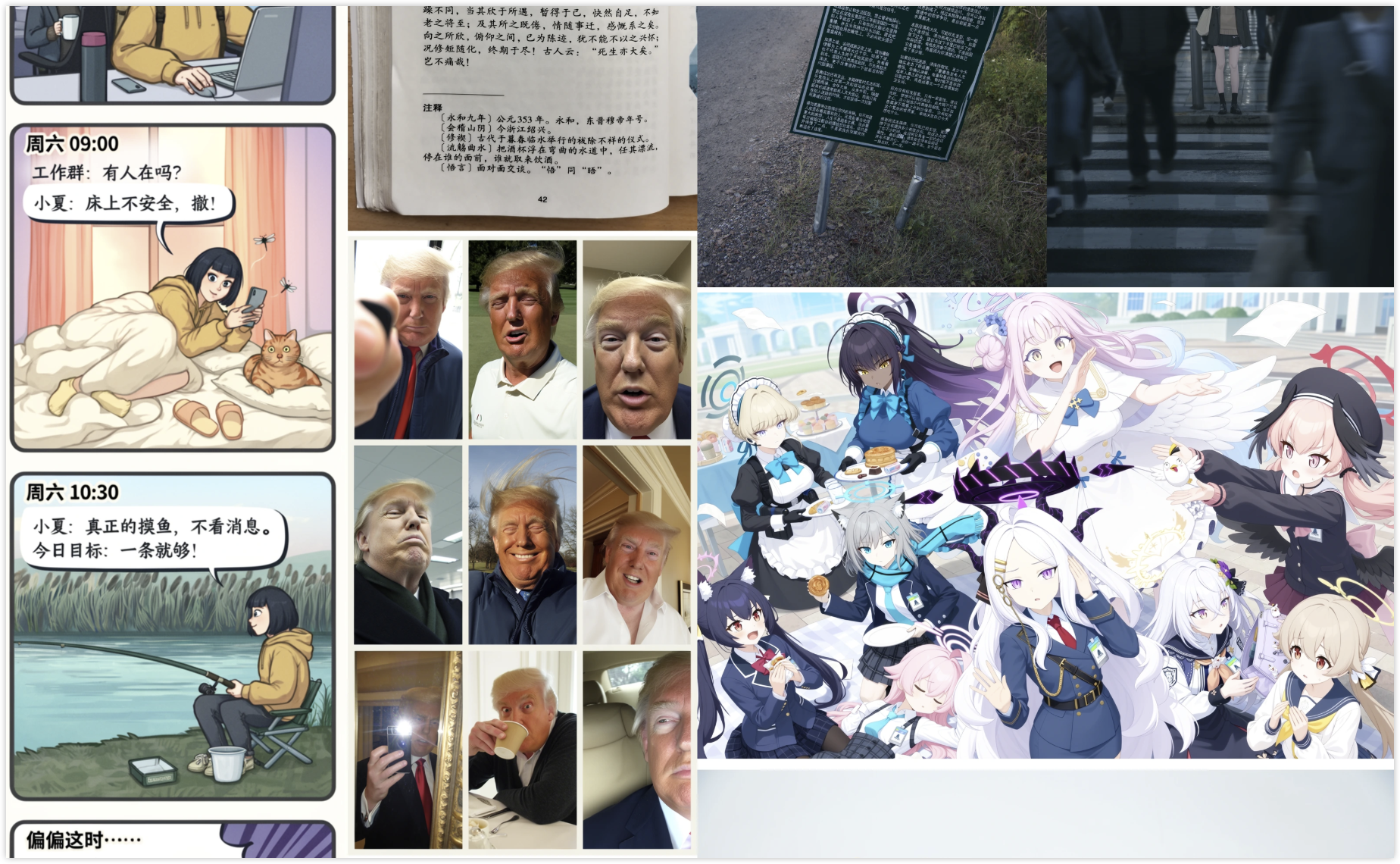
- Mixed scripts work. English posters spell correctly against the prompt, Chinese vertical calligraphy stays legible, and mixed Chinese-English lines both come out clean — the case most models fail.
- Small reasoning prompts work. Counting requests ("three apples and two pears") held up in community tests, which is a decent proxy for whether the model is reading the caption or pattern-matching a template.
- Long classical text still breaks. One tester asked for a full Tang poem in ink-wash calligraphy and got dropped lines and lost punctuation across several attempts. Better than anything open before it, not reliable.
- Layout control is experimental. The coordinate convention trips up first-time users, and community write-ups advise against putting layout-driven generation into a production pipeline yet.
Why the license is half the story
Image models have been shipping with friction attached. FLUX.1-dev is non-commercial. The SD3.5 family uses a community license with a revenue threshold before you need a paid arrangement. MOSS-Image's weights are Apache 2.0, which removes the ambiguity for the things people actually want to build: a commercial product, a hosted service, a LoRA you sell, a distilled version you redistribute.
For a small team, that is the difference between a weekend experiment and something that clears legal review. It is also why the model appeared in ComfyUI workflows within a day: permissive license plus a canonical Comfy-Org packaging is the adoption playbook Qwen-Image ran in 2025, and it works.
What is still missing
- One checkpoint is not the whole system. A 5B image transformer, a 9B text encoder, and a VAE have to fit somewhere; several "requirements" circulating conflate download size, selected files, and resident memory.
- Layout adherence is not layout guarantee. The JSON specifies intent. Whether the model respects every box at every size is exactly what a production test needs to measure, and nobody has published that test yet.
- The benchmark is in-house. The 96.3 and the 0.88 are strong numbers from the team that designed the tests. Independent evaluations are still forming.
- Editing is early. Layout-driven edits are the most promising direction here, but the community consensus so far is "promising, not production."
FAQ
What is MOSS-Image?
An open-source text-to-image model family from OpenMOSS, the Fudan University-affiliated lab behind the MOSS language model. It is a 5B single-stream diffusion transformer with a frozen Qwen3.5-9B text encoder, and its distinguishing feature is native layout control: besides a normal prompt, it accepts a JSON description of objects, text, and bounding boxes, and renders the composition to that specification.
When was MOSS-Image released?
October 16, 2026, with both MOSS-Image-Base and MOSS-Image-SFT checkpoints published alongside the code under Apache 2.0. ComfyUI, SGLang, and vLLM-Omni support landed the same day; the technical report followed on arXiv on October 19, and DiffSynth-Studio training support on October 20.
Is MOSS-Image free for commercial use?
Yes. The weights and the standalone pipeline code are Apache 2.0, which permits commercial products, hosted services, fine-tunes, LoRA sales, and redistribution without a revenue threshold or a separate agreement. Some third-party pipeline components retain their own licenses, so a commercial deployment should still check the bundled dependencies — but the model itself is unambiguously permissive.
How much VRAM does MOSS-Image need?
OpenMOSS does not publish a minimum figure. What is documented: the Base repository is a 27.2 GB download, the Comfy-Org packaging is 48.6 GB because it contains multiple variants, and the pipeline offers GPU-resident, Component, and Sequential memory modes. Community runs have succeeded on 12GB cards using Sequential mode or a smaller canvas. Treat the download sizes as disk, not memory, and expect a slow first run either way.
How does MOSS-Image compare with GPT Image 2.5, Nano Banana 2.1, and Seedream 5.0 Pro?
On the team's own long-text benchmark it scores 96.3 — the best of any downloadable model, but behind GPT Image 2's 99.0 and Nano Banana Pro's 96.6, on a test the team itself designed. Where it leads is layout: 0.88 mIoU on 7Bench against a next-best 0.44. Neither of those closed models takes a bounding-box spec as input, so there is no equivalent figure to put beside it. Seedream 5.0 Pro is the closest in kind — it is built for dense typographic layouts and infographics — but it infers structure from a prompt rather than accepting it as JSON, so the honest comparison is one identical prompt pushed through each model, not a spec sheet.
That test is worth running before you commit to a 27GB download. Oimi AI Studio Canvas hosts the closed leaders — GPT Image 2.5, Nano Banana 2.1, Seedream 5.0 Pro — alongside 30+ image and video models, so the same prompt can go through all of them in one workspace and you can see which one holds your layout, free to start. Keep MOSS-Image locally when you need reproducible layouts, offline control, or a base to fine-tune.
Keep reading
Two places to start, both ready to use:
- Curated prompt library — the full prompt collection, sorted by model and use case, ready to copy and run
- Curated workflow templates — the most-used AI workflow templates for image, video, and mixed pipelines, open and edit
And the reading that goes with this piece:
- AI Portrait Poster Prompts: 10 Copy-Paste Designs That Look Art-Directed (2026) — poster composition, the exact job layout control is built for
- 100+ Awesome Nano Banana Prompts: Copy & Generate Instantly — the closed model this one is chasing, and the prompts that show why
- Top 20 GPT Image 2 Prompts: Portraits, Posters, UI — the model leading the long-text benchmark, and how its prompts are written
Sources
- MOSS-Image in ComfyUI: Text-to-Image and Layout Workflows — ComfyUI's official tutorial, the node-by-node reference for the workflow shown above
- MOSS-Image on GitHub — weights, inference code, and the example workflow file