
Grok Imagine Video 1.5 Preview: Image-to-Video Arena #1
On May 31, 2026, Grok-Imagine-Video-1.5-Preview was reported as the new #1 model in the Image-to-Video Arena, ranking ahead of Seedance 2.0 and HappyHorse and quickly drawing attention from AI video generator creators worldwide.
What happened?
xAI now lists grok-imagine-video-1.5-preview in its developer model documentation.
At the same time, Arena-related updates reported that Grok-Imagine-Video-1.5-Preview (720p) reached the top of the Image-to-Video Arena.
The reported headline number is an Arena score around 1,473, a 52-point improvement over the previous Grok Imagine Video 720p model. That is why creators are paying close attention to Grok video 1.5, Grok Imagine 1.5, and Grok-Imagine-Video-1.5-Preview.

Grok Imagine Video 1.5 Example: Image-to-Video Result
Open this Grok Imagine Video template
Upload your portrait and generate a cinematic image-to-video adventure in Oimi Canvas.
Use Template
Grok Imagine Video 1.5 Preview at a glance
| Model name | grok-imagine-video-1.5-preview |
| Alias | grok-imagine-video-1.5-2026-05-30 |
| Main use case | Image-to-video generation from a reference image and prompt |
| Why creators care | Better motion, reference consistency, and creator-ready image-to-video workflows |
Why Image-to-Video Arena ranking matters
Image-to-video is especially hard because the model must preserve the original image while adding believable motion. A good result keeps the subject recognizable, avoids melting faces or products, and adds camera movement without breaking the frame.
Arena-style rankings are based on human preference comparisons. They are not the only way to judge a model, but they are useful for understanding what real users prefer when two outputs are placed side by side.
Grok Imagine 1.5 vs Seedance 2.0 and HappyHorse
The new ranking is important because Seedance 2.0 and HappyHorse have been two of the strongest names in image-to-video. Seedance 2.0 is especially strong for AI films, short dramas, character motion, and storyboard workflows. HappyHorse is strong in text-to-video, first/end-frame generation, and reference-image video workflows.
Grok Imagine Video 1.5 Preview appears to be xAI's answer to that race: a higher-scoring image-to-video model focused on turning still images into more convincing clips. For creators, the practical takeaway is not that one model solves every task. It is that the best workflow is increasingly multi-model.
Recommended image-to-video workflow: storyboard first, video second
The most reliable storyboard-to-video workflow starts with a clear storyboard frame or character sheet. Prepare the image first, then send it into a video model with a motion-focused prompt.
- Create the storyboard frame with GPT Image 2, Nano Banana Pro, or another image model.
- Describe motion, not appearance: camera move, subject action, speed, emotion, and transition.
- Keep the clip short first, then extend or stitch clips after the motion direction works.
- Compare models when quality matters. Seedance 2.0, HappyHorse, Omni Flash, Veo, Grok, and other models can produce different motion styles from the same image.
Try an storyboard-to-video workflow
Generate a cinematic outdoor storyboard first, then turn it into an action video in Oimi Canvas.
Open Storyboard Template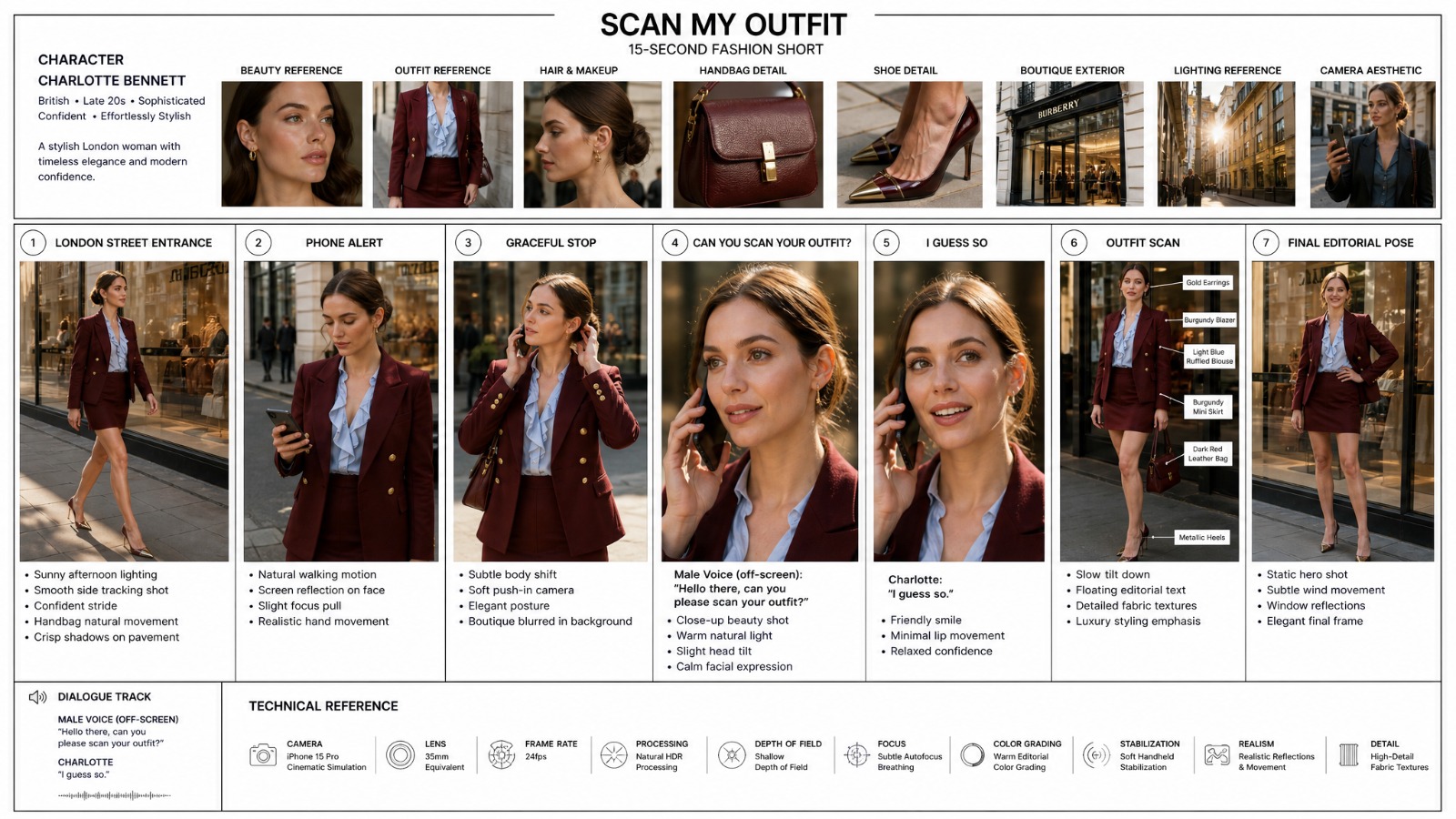
Should you switch from Seedance 2.0?
Not automatically. If your workflow depends on AI films, AI short dramas, storyboard-to-video, or multi-shot character planning, Seedance 2.0 is still one of the strongest practical choices. If your task is pure image-to-video with a single strong reference image, Grok Imagine Video 1.5 Preview is now worth watching closely.
The better approach is to use a canvas workflow to manage reference images, prompts, and multiple video models, compare outputs, and continue from the best result.
Looking for a Grok Imagine alternative?
If you are looking for a Grok Imagine alternative, the closest practical option is not one single model. It is a set of ready-to-use image-to-video workflows where you can start from a reference image, choose the right video model, and keep iterating in one canvas.
In Oimi Canvas, the strongest alternatives are template-based workflows powered by Seedance 2.0 and Omni Flash. Seedance 2.0 works especially well for storyboard-to-video, AI films, product shots, and short drama clips. Omni Flash is a strong fit for portrait-reference videos, selfie-style travel clips, and multi-scene character transformations.
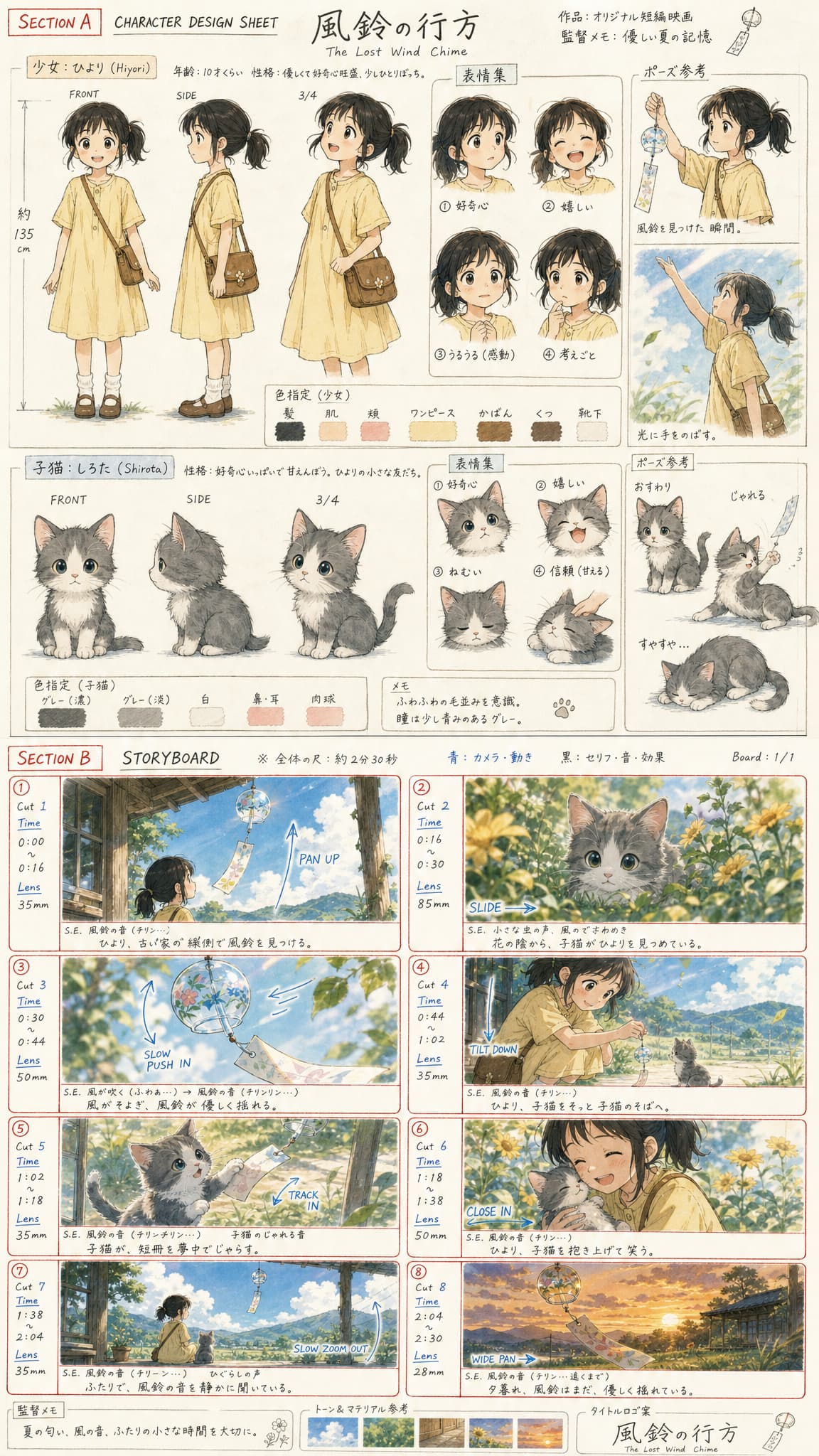
Seedance 2 storyboard-to-video
Generate a storyboard first, then turn it into a short video with Seedance 2.0. Best for ads, AI films, and controlled scene planning.

Omni Flash portrait-to-video
Upload a portrait and create a multi-scene selfie travel video with Omni Flash. Best for creator-style image-to-video workflows.
Key takeaway
Grok Imagine Video 1.5 Preview is a serious signal that xAI is becoming more competitive in AI video. The model's #1 Image-to-Video Arena result gives creators a new reason to watch Grok video generation, especially for reference-image animation.
Frequently Asked Questions
What is Grok Imagine Video 1.5 Preview?
Grok Imagine Video 1.5 Preview is xAI's preview video generation model listed as grok-imagine-video-1.5-preview. It is designed for generating video from text and image inputs, with image-to-video becoming the main creator workflow.
Why are creators paying attention to Grok Imagine 1.5?
Creators are paying attention because the 720p Grok-Imagine-Video-1.5-Preview model was reported as the new #1 model in the Image-to-Video Arena, with a large improvement over the previous Grok Imagine Video model.
Is Grok Imagine Video 1.5 better than Seedance 2.0?
For single-image image-to-video ranking, the 720p Grok Imagine Video 1.5 Preview result is a strong signal. Seedance 2.0 remains especially strong for AI films, short dramas, storyboard workflows, and multi-shot video planning.
How should I prompt image-to-video models like Grok Imagine 1.5?
Use the image to define appearance, then write the prompt around motion: camera movement, subject action, timing, emotion, and transition. Avoid repeating visual details that are already clear in the reference image.
Where can I try Grok Imagine Video 1.5?
You can use Grok Imagine Video 1.5 on Grok web, and you can also use it in Oimi Canvas. Oimi Canvas is useful when you want a one-stop workspace to compare Grok with Seedance 2.0, Omni Flash, HappyHorse, and other image-to-video models in the same workflow.
What is the best Grok Imagine alternative?
The best Grok Imagine alternative is a multi-model image-to-video workflow rather than a single model. In Oimi Canvas, you can combine GPT Image 2 keyframes with Seedance 2.0, Omni Flash, HappyHorse, and Veo video nodes, then compare the outputs in one workspace.